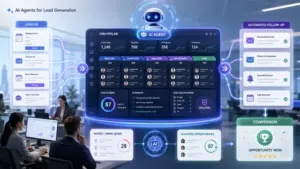
7 AI Automation Mistakes That Break Business Projects After Launch
Most AI automation projects look great in the demo and then quietly fail after launch. Here are the 7 AI automation mistakes…

Build a clean, ATS-friendly resume with a live preview and instant PDF download. Your data stays in your browser.
Most resume templates are designed to look good, not to survive an Applicant Tracking System. Fancy columns, icons, and graphics can turn into scrambled text the moment a parser reads the file. This builder produces a resume that reads cleanly to software and to the person who eventually opens it.
Fill in your details section by section — contact info, summary, experience, education, skills — and watch the resume take shape live. Choose a layout, then export straight to PDF when you are done.
Because the structure stays simple and standard, the output parses reliably instead of losing content in translation.
Skip the generic "hardworking professional seeking opportunities" opener — it says nothing an employer can use. Lead with your role, your years of relevant experience, and one concrete strength or result.
Three lines is usually enough. The summary's job is to get a recruiter to keep reading the rest, not to summarize your entire career.
"Responsible for social media" tells a reader nothing about whether you were any good at it. "Grew Instagram engagement 40% over six months through a content calendar and weekly analytics review" tells them exactly what you did and what happened.
Where you have numbers — percentages, dollar amounts, team sizes, timeframes — use them. Where you do not have a hard number, describe the concrete outcome instead of the job description you were handed.
Someone moving from retail management into project coordination does not have "project coordinator" in their job history. But they managed staff schedules, coordinated inventory across locations, and resolved vendor issues under deadline — all genuinely transferable.
The builder's structure prompts for outcomes in each role, which surfaces these transferable results even when the job titles do not match the target role directly.
Keep contact information as plain text, not inside a graphic or text box — that is the single most common ATS parsing failure. Use standard section headings (Experience, Education, Skills) rather than creative alternatives. Stick to one column for the body content; sidebars are where information most often gets lost.
Once you have a draft, run it against a real job description with our ATS Resume Checker to catch keyword gaps and formatting risk before you apply. For a matching application, use the AI Job Description Generator to see how roles are typically phrased from the employer side.
Your resume details are used only to generate your document and are not stored on our servers.
A clean, parseable resume takes minutes to put together above. Fill in the sections, export to PDF, and check it against your target role before you send it.
Everything you might be wondering about the Resume Builder.
Hand-picked free tools that pair well with the Resume Builder. Or browse all free AI tools.
Practical reads on the topics this tool touches.