Meta Muse for Small Business: Pricing, Setup and What It Can Do
Quick answer: Meta Muse for Small Business is an AI agent that Meta launched on September 29, 2026. It connects to your Instagram, Facebook Page, Meta ads and tools like Shopify, QuickBooks and Stripe. A chatbot only answers questions. Muse reads your business data, prepares the work and acts on it, but nothing is published, sent or spent until you approve it.
Updated October 12, 2026: added Meta’s plan prices, all 15 connectors grouped by business task, setup steps and a Muse vs custom AI agent comparison.
Watch: Meta Muse for Small Business explained in about a minute.
Read the video transcript
What if your business had a teammate that never sleeps? Meta launched Muse for Small Business on September 29, 2026. Running a small business means doing everything: customer emails, payroll, reviews, ad reports, Instagram posts and invoices. Meta describes the 200 million small businesses on Facebook as “short on hours, not ideas.” Ask a chatbot how to improve your ads and you get generic tips, and you still do the work. An AI agent reads your ads, sales and Instagram data, drafts a growth plan from your own numbers and waits for your approval. You connect tools like Instagram, Shopify, QuickBooks, Stripe and Canva, then ask a question such as “Read all our customer reviews. What should we fix first?” The agent returns strengths, weaknesses, opportunities and threats. Live Bearded used Muse to turn 87,000 reviews into a SWOT analysis in minutes. Meta says nothing is published, sent or spent without your approval. Muse has 15 app connectors plus Instagram, Facebook and Meta ads, is free to start with paid plans at $20 and $100 a month, and is available in the US and Canada. A grocery owner in Iowa saved 15+ minutes on every payroll. Before you connect, start read-only, set budget caps, keep a human on anything public, know what data goes in, and check results against your own numbers. Try Muse first if you sell mostly on Instagram and Facebook. Go custom if your process has many steps, people and systems. Parix.ai builds AI automation for cloud, edge and on-premise systems.
Every small business owner knows the feeling. The ideas are there, but the hours aren’t. Emails pile up, reviews go unanswered and the ad report sits unopened. Meta’s new agent is built for exactly that gap, and it says a lot about where AI is heading next.
What Meta launched, in one minute
- What it is: a business version of Muse, the personal AI agent Meta released in early September. Muse reached #1 on the US App Store, ahead of ChatGPT.
- What it connects to: your Instagram professional account, Facebook Page and Meta ad accounts, plus 15 apps: Asana, Box, Canva, Dropbox, Figma, Granola, HighLevel, Intuit QuickBooks, Klaviyo, Lovable, Notion, Shopify, Slack, Stripe and Zoom. You can also add custom connectors.
- What it costs: free with a weekly usage limit, with paid Power ($20 a month) and Maximum ($100 a month) plans for heavier use. See the pricing table.
- Where it works: the US and Canada. Meta says Muse subscriptions are still in limited testing and not available in every location yet.
Meta’s explanation is simple: small business owners are “short on hours, not ideas.”
Meta Muse pricing for small business
Muse for Small Business isn’t a separate product with its own price. It runs inside the Muse app, so it uses the normal Muse plans:
| Plan | Price | Weekly usage |
|---|---|---|
| Free | $0 | A usage limit that refreshes (Meta doesn’t publish the number) |
| Power | $20 a month | 500M Muse tokens a week |
| Maximum | $100 a month | 3B Muse tokens a week |
Paid plans renew every month until you cancel, and you can buy them at muse.ai or in the Muse mobile app. If you hit the free limit, you can upgrade or wait for it to refresh. Source: Meta’s Muse subscriptions help page.
Tip: start on the free plan with one or two connected tools. Upgrade only when you’re hitting the weekly limit on work that actually saves you time.
How to set up Muse for Small Business
- Get Muse. Open muse.ai or the Muse mobile app. It’s available in the US and Canada.
- Connect your Meta business accounts. Link your Instagram professional account, Facebook Page and Meta ad accounts, so Muse starts out already understanding your business.
- Add the tools you already use. Pick connectors such as Shopify, QuickBooks or Stripe from the list in the Muse app settings. If a tool isn’t listed, Meta supports custom connectors.
- Give it a goal. Meta’s own examples include building a growth plan from your sales and social performance, and reviewing last month’s finances for unusual expenses.
- Approve before anything goes out. Meta says nothing publishes, sends or spends without your approval. Run the 5-minute safety check before you connect anything that touches money or customers.
Meta’s official getting-started guide has the latest steps.
Meta Muse connectors by business task
On top of your Instagram, Facebook Page and Meta ads accounts, Muse for Small Business connects to 15 apps. Here they are grouped by the job they help with, with a request you could try first:
| Business task | Connectors | Request to try |
|---|---|---|
| Sales and payments | Shopify, Stripe | “Which products sold best this month, and what changed from last month?” |
| Accounting | Intuit QuickBooks | “Summarize last month’s expenses and flag anything unusual.” |
| Email marketing and CRM | Klaviyo, HighLevel | “Which campaigns brought in the most sales, and who hasn’t heard from us in a while?” |
| Design and content | Canva, Figma, Lovable | “Draft three Instagram post ideas from our best-selling products.” |
| Team and meetings | Asana, Notion, Slack, Zoom, Granola | “Turn this week’s meeting notes into a task list.” |
| Files | Box, Dropbox | “Find our latest price list and summarize the changes.” |
Meta hasn’t published a detailed list of what each connector can read or change, so treat these as ideas to test, starting read-only. Using HubSpot, Salesforce or Google Ads? They aren’t on the launch list, but Meta supports custom connectors and says more are coming.
AI agent vs chatbot: why this launch matters
For the last few years, most people used AI as a chatbot. You asked a question, got an answer and then did the work yourself. An AI agent closes that last step. It works with your real data and gets the task done, while you keep the final say.
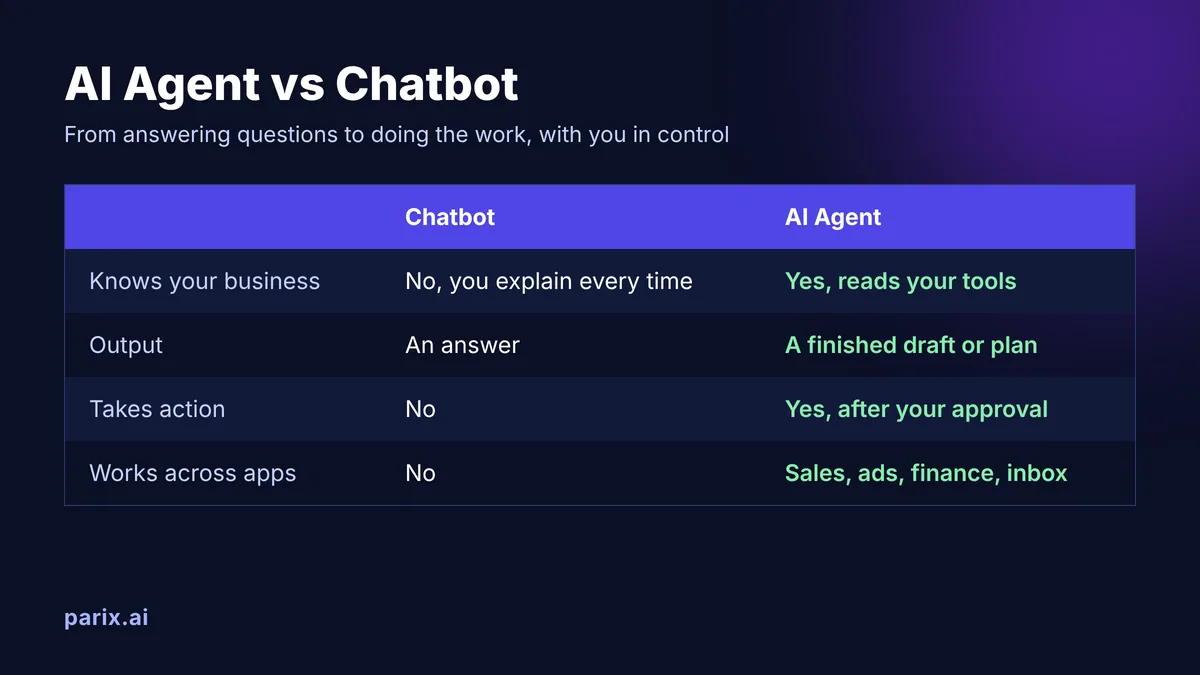
Ask a chatbot “How do I improve my ads?” and you get generic tips. Ask an agent the same question and it reads your ad results, sales and Instagram numbers, then drafts a plan built on your business. That shift from talking to doing is why AI agents for small business are suddenly a real option, not a tech experiment.
Three jobs worth giving Muse first
Don’t connect everything on day one. Start with tasks that eat your time but carry low risk if the AI gets something wrong.
1. Turn customer feedback into decisions.
Nathan Daggett of Live Bearded used Muse to analyze 87,000 customer reviews and build a full SWOT analysis in minutes. Try it with your reviews, DMs or support emails: “What do customers love, and what do they complain about most?”
2. Remove small admin chores.
Tom Mulholland, a grocery owner in Iowa, photographed employee time cards and had Muse add them up, saving at least 15 minutes on every payroll run. Look for those repeat 15-minute tasks in your week.
3. Get a monthly money check.
Connect QuickBooks or Stripe and ask: “How did we do this month, and which expenses look unusual?” You still make the call, but you start from a clear summary instead of a spreadsheet.
Before you connect: the 5-minute safety check
An agent is only as safe as the access you give it. Run through this list before you click “connect.”
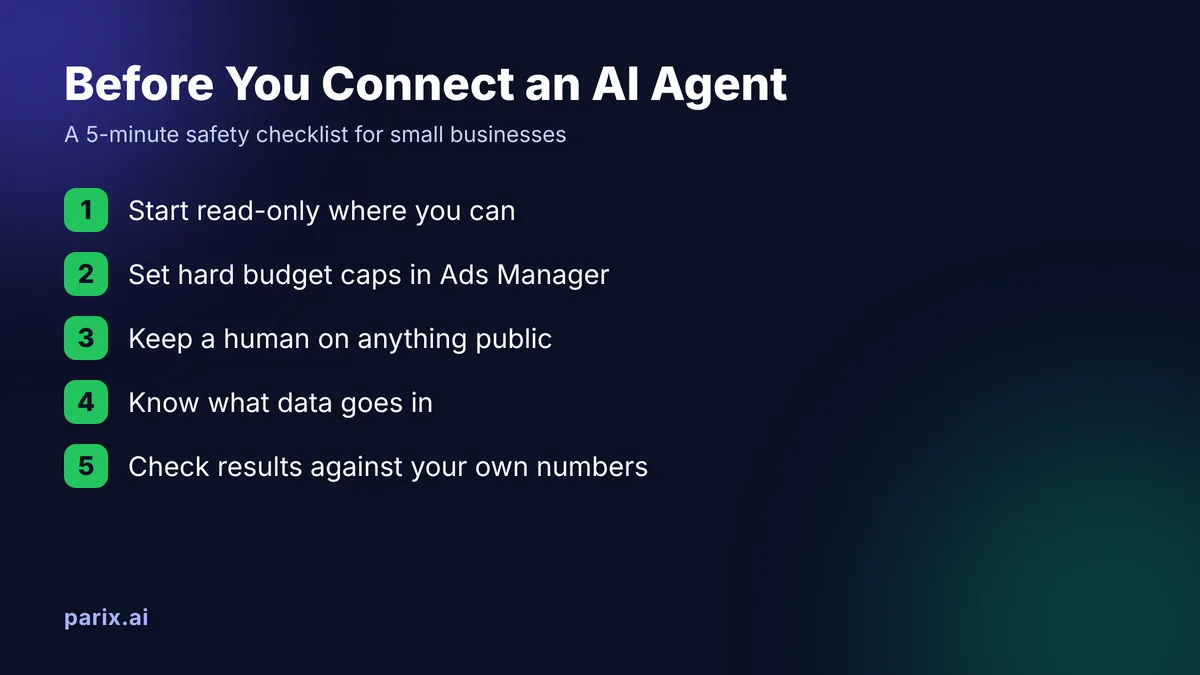
- Start read-only where you can. Let it analyze before you let it act.
- Set hard budget caps in Ads Manager. Approval prompts help, but a daily cap is your real safety net.
- Keep a human on anything public. Read every post, email and ad before you approve it.
- Know what data goes in. Don’t share customer personal data you wouldn’t put in any third-party app.
- Check results against your own numbers. Judge an ad suggestion by your profit, not by clicks.
Where Muse stops
Muse is a strong general assistant for businesses that live on Meta’s platforms. It also has clear limits:
- The launch connector list doesn’t include HubSpot, Salesforce CRM or Google Ads.
- It’s only available in the US and Canada.
- It works the way Meta designed it, not the way your operation works.
| Meta Muse | Custom AI agent | |
|---|---|---|
| Best for | Businesses that sell mostly through Instagram and Facebook | Processes with several steps, people and systems |
| Connects to | Meta accounts, 15 apps and custom connectors | Any system you use, including CRMs, ERPs and in-house tools |
| Where your data lives | Meta’s platform | Your cloud, edge or on-premise servers |
| Cost | Free, $20 or $100 a month | Depends on the workflow you need |
| Availability | US and Canada | Wherever your business runs |
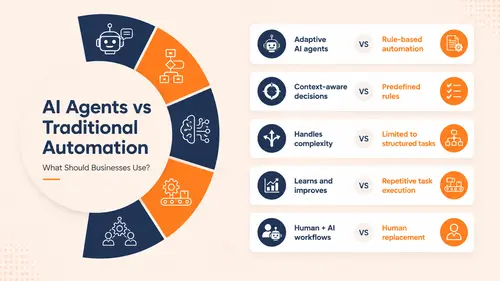
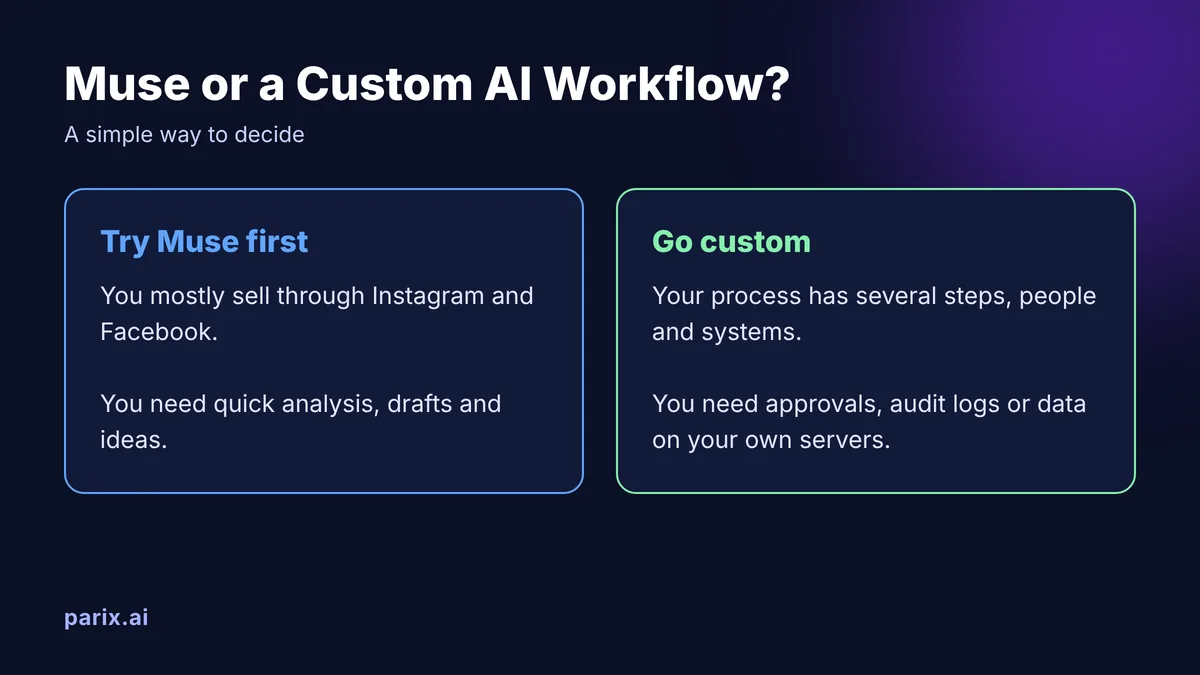
A simple way to decide: if you mostly sell through Instagram and Facebook, try Muse first. If your process involves several steps, people and systems, or your data has to stay on your own servers, you’ll need custom agentic AI workflows built around how you actually work.
What this tells us about the future of AI agents
Muse is one product, but it points to three shifts every business should plan for:
- Context beats cleverness. The most useful agent isn’t the smartest one. It’s the one that knows your sales, customers and brand.
- Permission is the product. Approval steps, budget limits and audit trails are what make businesses trust an agent with real work.
- Agents go where people already work. Meta put Muse inside the apps 200 million small businesses already use. Future agents will live inside your existing tools too, not in a separate chat window.
FAQ
When did Meta launch Muse for Small Business?
Meta announced Muse for Small Business on September 29, 2026, as new business skills and connectors inside its Muse AI agent.
What apps does Muse for Small Business connect to?
Your Instagram professional account, Facebook Page and Meta ad accounts, plus 15 apps: Asana, Box, Canva, Dropbox, Figma, Granola, HighLevel, Intuit QuickBooks, Klaviyo, Lovable, Notion, Shopify, Slack, Stripe and Zoom. Custom connectors are also supported.
How do I get started with Muse for Small Business?
Open muse.ai or the Muse mobile app, connect your Instagram professional account, Facebook Page and Meta ad accounts, then add tools like Shopify or QuickBooks from the connector list in the Muse app settings.
Is Meta Muse for Small Business free?
Yes, to start. Muse is free with a weekly usage limit. For more usage there are two paid plans: Power at $20 a month (500M Muse tokens a week) and Maximum at $100 a month (3B Muse tokens a week).
What is the difference between Muse and Muse for Small Business?
Muse is Meta’s AI agent app. Muse for Small Business adds business skills and connectors inside the same app, so it uses the same Free, Power and Maximum plans.
Does Meta Muse work with Shopify?
Yes. Shopify is one of the 15 launch connectors, along with Stripe and Intuit QuickBooks, so Muse can work with your store data alongside your Instagram and Facebook results.
Is Meta Muse safe to use with business data?
Meta says nothing is published, sent or spent without your approval. You still control what you connect, so start read-only, set budget caps in Ads Manager and avoid sharing customer personal data you wouldn’t put in any third-party app.
Which countries can use Muse for Small Business?
The US and Canada at launch.
Can Muse spend my ad budget without asking?
Meta says nothing is published, sent or spent without your approval. Set budget caps in Ads Manager as a backup.
What is the difference between an AI agent and a chatbot?
A chatbot answers questions. An AI agent uses your tools and data to complete tasks, with your permission.
Does Muse work with HubSpot or Salesforce?
Not at launch. Meta says more connectors are coming, and custom connectors are supported.
The takeaway
Meta Muse for Small Business marks the move from chatbots that talk to agents that work inside your business, with a human approving the steps that matter. Start small, protect your data and budget, and measure the hours you get back.
When you need an agent built around your systems instead of Meta’s, Parix.ai engineers custom AI automation and agentic workflows for teams where performance, safety and reliability are non-negotiable. We connect cloud platforms with edge and on-premise infrastructure, so your data stays where it belongs, with human approval and a full audit trail at every step. Book a free scoping call to see what you could automate first.