How to Create Faceless Videos Using Claude AI (Step-by-Step Guide)
Faceless videos have become increasingly popular, and there is a clear reason behind it. You no longer need a professional camera, a studio, or expensive equipment to create content. All you need is a strong idea and the right tools.
With AI tools like Claude AI and modern AI automation solutions, creating faceless videos has become much easier for beginners.
If you have ever wondered how to create faceless videos using Claude AI, this article will guide you step by step through the complete process.
Faceless Video Creation Process (Overview)
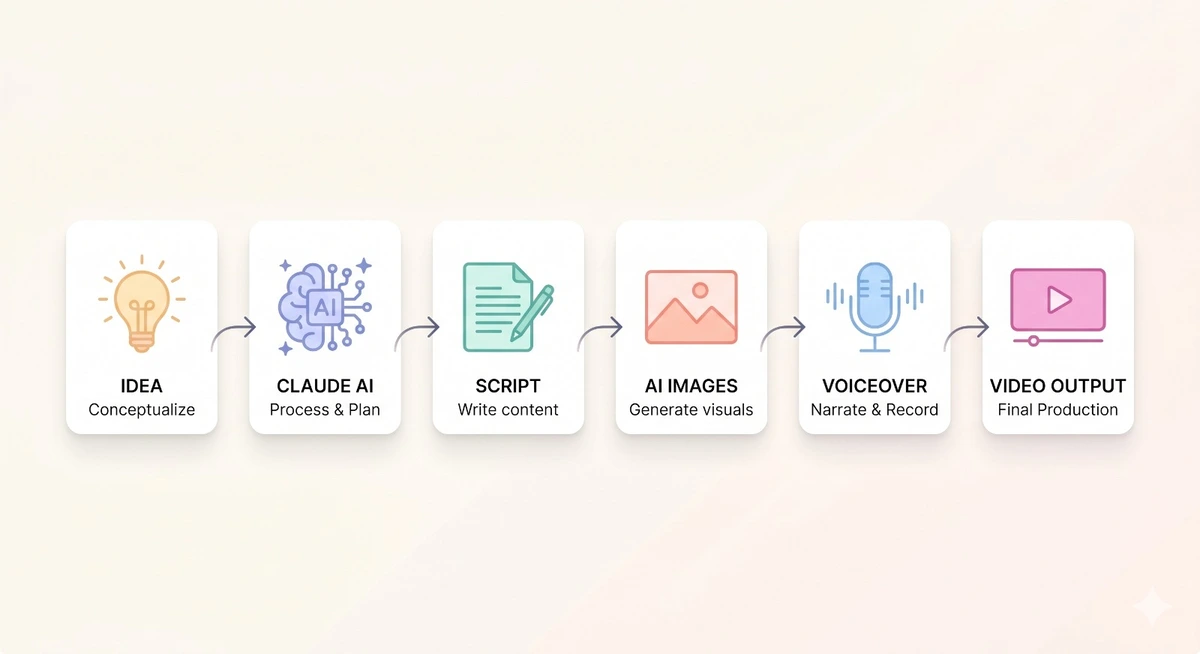
What Are Faceless Videos & What Makes Them Popular?
Faceless videos are videos where the creator does not appear on camera. Instead, they rely on different elements to deliver content.
These elements include:
- Voiceovers
- Stock or recorded footage
- AI-generated visuals
- Text animations
These videos can be used for different types of content, such as motivational videos, educational content, or storytelling.
Why are faceless videos growing so fast?
- No need to show your face (better privacy)
- Easier and more scalable content creation
- Low cost to get started
- Perfect for beginners
This trend has made AI-powered faceless video creation one of the fastest-growing areas in content creation today.
Why Claude AI for Faceless Video Script Creation?
Claude AI is not a video editor, but its strength lies in creating the most important part of your video — the script.
It helps you turn ideas into clear, engaging content quickly and efficiently, especially when combined with
AI customer insights tools
that help you understand what your audience actually wants to watch.
What makes Claude AI different?
- Excellent script writing
Claude generates natural, engaging, and easy-to-understand scripts. - Idea generation
It helps you come up with creative and relevant video ideas. - Time-saving
You can avoid writer’s block and create content faster. - Flexible text generation
You can create scripts for different types of content, including educational videos, narrative content, motivational videos, and YouTube automation content.
With Claude AI as your script creation tool, the entire process becomes faster, easier, and more efficient.
Top AI Tools for Faceless Videos in 2026
Creating faceless videos with AI requires a combination of tools. While Claude AI helps you generate scripts, you will also need tools for voiceovers, visuals, and editing.
Here are some of the best AI tools you can use:
Scriptwriting
- Claude AI
- ChatGPT (alternative option)
Voice Creation
- ElevenLabs
- PlayHT
- Murf AI
Video Generation & Editing
- Pictory
- CapCut
- InVideo
- Canva Video Editor
Stock Footage & Images
- Pexels
- Pixabay
- Storyblocks
Image Generators (Optional)
- Midjourney
- DALL·E
Using the right combination of tools makes faceless video production simple, efficient, and scalable.
How to Make Faceless Videos With Claude AI – Step-by-Step Guide
Let’s break down the process of creating faceless videos using Claude AI into simple and practical steps.
Step 1: Pick the Right Video Niche
The first and most important step is choosing the right niche. Your niche determines how effective your content will be and how easily you can stay consistent.
It is always better to focus on a specific area instead of trying to cover too many topics at once.
Some popular faceless video niches include motivation, personal finance, technology and innovation, sports and health, documentary-style content, and storytelling. However, the key is to be specific rather than general.
For example, instead of creating general motivational content, it is more effective to focus on a niche like morning routines for success or habits of successful people.
When choosing your niche, make sure it is in demand, easy for you to create content around, and something that genuinely interests you.
Selecting the right niche from the beginning will make the entire content creation process much easier and more effective.
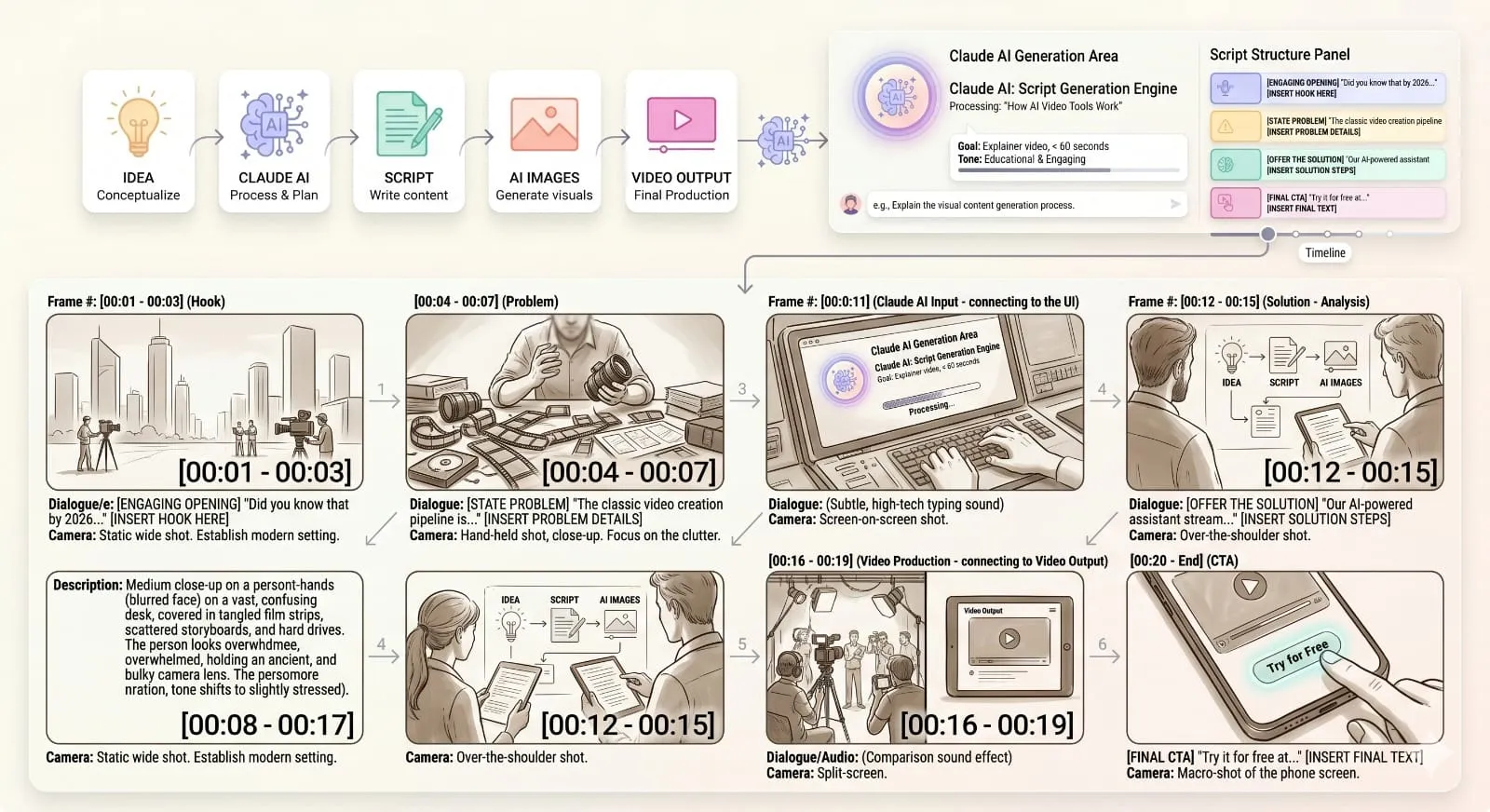
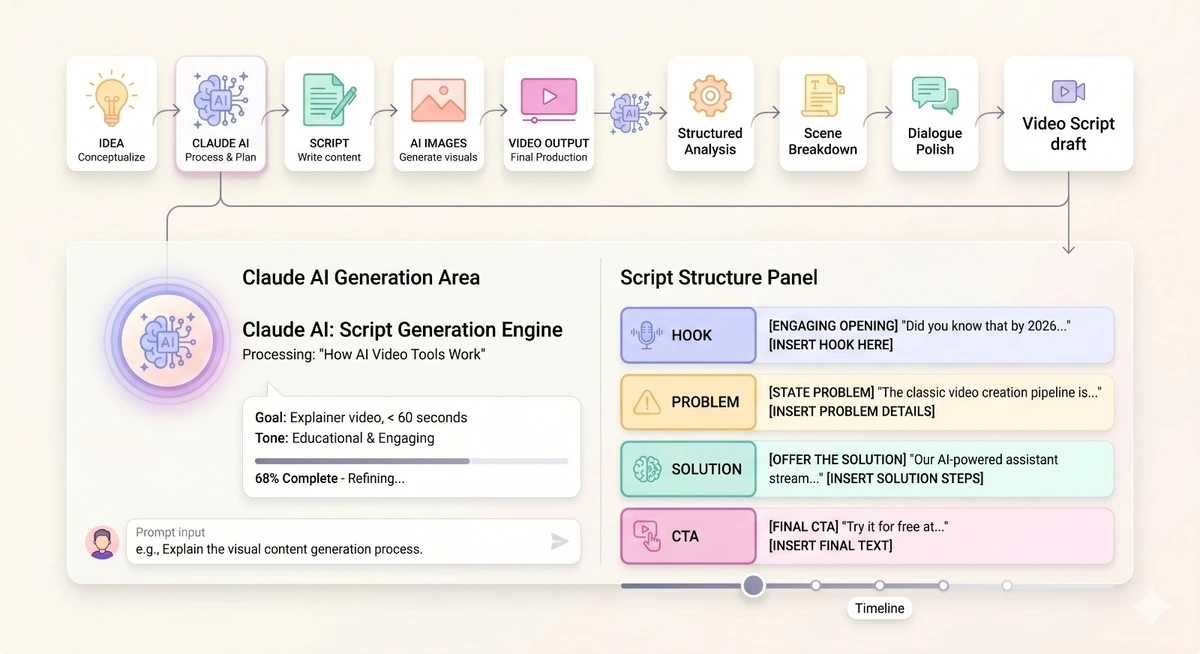
Step 2: Write Your Video Script Using Claude AI
Now that you have identified your niche, the next step is to create your video script. This is where Claude AI becomes extremely useful.
How Claude AI Structures a Video Script
 And for long-form scripts, you may need to know about Claude session limits to ensure that no interruption occurs when creating content.
For example, you can ask Claude to write a YouTube script about the morning routines of highly successful people in an engaging and easy-to-understand style. In most cases, the script will include a strong opening, a structured main section, and a clear conclusion.
To improve the quality of your scripts, it is important to give more specific instructions. You can ask Claude to use shorter sentences, apply a storytelling approach, or make the tone more engaging and emotional.
The opening line plays a crucial role, as it determines whether viewers will continue watching. A strong hook can significantly improve engagement.
For example, you could start your video with a line like: “Most successful people follow the same morning routine — are you one of them?”
Step 3: Record a Realistic Voiceover for Your Video
AI Voice Generation in Action
Once your script is ready, the next step is to convert it into a voiceover using an AI voice generator. These tools can produce realistic audio within seconds, making the process fast and efficient.
Several reliable options are available, including ElevenLabs, PlayHT, and Murf AI, all of which can generate high-quality, natural-sounding voiceovers.
Choosing the right voice is more important than it may seem. The voice should align with the tone and purpose of your content to create a better and more engaging viewer experience.
For example, a calm and soft voice works best for storytelling content, while a more energetic and dynamic voice is ideal for motivational videos.
Step 4: Add Visuals, Stock Footage, or AI Images
With your voiceover ready, the next step is to bring your video to life by adding visuals. This is where your content starts to feel more engaging and complete.
Instead of adding clips randomly, focus on aligning your visuals with your script. When visuals match what is being said, the video becomes easier to follow and more immersive for viewers.
For example, if your script talks about waking up early, you can use visuals like a sunrise, someone journaling, or a calm morning routine. This connection between audio and visuals makes your content feel more natural and professional.
You can use free stock footage from platforms like
Pexels
and Pixabay, or create custom visuals using AI image tools.
To combine everything, tools like Canva, Pictory, and CapCut make the process simple and beginner-friendly. This step plays a key role in how polished and professional your final video looks.
Step 5: Edit Your Faceless Video
This is the stage where you bring all your elements together and transform them into a polished final video. Editing does not need to be complicated, but it should be done thoughtfully to create a smooth and engaging viewing experience.
Make sure your visuals are properly synchronized with your voiceover. This alignment is essential for maintaining clarity and keeping viewers engaged throughout the video.
Adding subtitles is highly recommended, as many viewers watch videos without sound. Background music can enhance the overall feel of your content, but it should support the voiceover rather than overpower it.
Keep your clips short and dynamic, especially if you are creating content for platforms like TikTok or
YouTube Shorts. Smooth transitions between scenes help maintain flow and improve the overall quality of your video.
Tools like CapCut,
Canva, and InVideo can make the editing process simple, efficient, and beginner-friendly.
Step 6: Upload and Optimize Your Video
Once your video is complete, the final step is to publish it on platforms such as YouTube, TikTok, or Instagram Reels. However, simply uploading your video is not enough.
To reach the right audience, you need to optimize your content properly. This includes creating a clear and engaging title, writing a helpful description, and using relevant keywords.
These elements help platforms understand your content and recommend it to users who are interested in similar topics.
For example, a title like “How to Build a Strong Morning Routine (Habits That Actually Work)” is clear, searchable, and appealing to viewers.
When done correctly, this step transforms your effort into real visibility, stronger engagement, and long-term growth.
How to Make Your Faceless Videos Engaging
Creating videos is not always easy, but making them engaging is even more challenging.
The following tips will help you improve engagement:
- Attention-grabbing opening (first 3 seconds)
Capture your audience’s attention immediately. - Fast-paced editing
Avoid long pauses or slow footage. - Storytelling
Even informative content should be presented as a story. - Changing visuals
Switch scenes frequently to maintain viewer interest. - Provide value
Always give your audience something useful or meaningful.
When creating faceless videos with AI, engagement is the most important factor for success.
Common Mistakes in AI Faceless Video Creation
Avoiding common mistakes can save you time and significantly improve your results.
- Robotic voiceovers
Fix: Use high-quality AI voice generators for more natural sound. - Poor script quality
Fix: Improve and refine your Claude AI prompts to generate better scripts. - Overusing stock footage
Fix: Mix different types of visuals to keep your content engaging. - No subtitles
Fix: Always add captions to improve viewer retention. - Weak hooks
Fix: Spend time crafting a strong and engaging opening line.
Even small improvements can make a big difference in your video performance.
How to Earn from Faceless Videos Using AI
Yes, many creators are already earning successfully from faceless videos.
Here are the most common ways to monetize your content:
- YouTube Ads
Earn revenue based on views after meeting platform requirements. - Affiliate Marketing
Promote products related to your niche and earn commissions. - Digital Products
Sell ebooks, online courses, or templates. - Sponsorships
Brands pay you to promote their products or services. - TikTok Creator Fund / Reels Incentives
Earn through platform-based monetization programs.
Consistency is key. The more consistently you create and publish content, the better your chances of earning.
How To Create Faceless Videos Using Claude AI – Step-by-Step Guide
Let’s break down the process into clear and actionable steps that any beginner can follow.
This is where Claude AI becomes extremely useful.
Step 1: Choose a Relevant Video Niche
The first and most important step is selecting the right niche. Your niche plays a key role in your success, as it helps you stay consistent and connect with your audience more effectively.
It is always better to focus on a specific topic rather than trying to cover too many areas at once.
Popular faceless video niches include:
- Motivation and self-improvement
- Personal finance and money management
- Technology and AI
- Fitness and health
- Documentaries and facts
- Storytelling (history, mystery, etc.)
However, the key is to be specific. For example, instead of creating general motivational content, focus on a niche like morning routines for success or habits of successful people.
When choosing your niche, make sure it is:
- In demand
- Easy for you to create content around
- Something you are genuinely interested in
Choosing the right niche from the start will make the entire content creation process much easier and more effective.
Once your video is edited, don’t skip captions — most viewers watch faceless content with the sound off. Our free AI Video Caption Generator generates them automatically.