AI-Powered Workflow Automation in 2026: From Manual Tasks to Agentic Workflows
Business workflows are changing quickly. Tasks that once required someone to send every email, update spreadsheets, process documents, copy information between systems, and chase approvals can now be handled through connected automation.
AI-powered workflow automation takes this further. Instead of relying only on fixed trigger-and-action rules, AI can understand incoming information, classify requests, extract data, generate responses, and help move work between business systems with less manual intervention.
For growing companies, the goal is not to add AI everywhere. It is to identify repetitive processes, connect the right systems, and use automation where it can remove unnecessary manual work.
In this guide, we will explain how AI workflow automation works, why businesses are adopting it in 2026, which platforms are commonly used, how agentic AI is changing automation, and where companies can start without trying to automate everything at once.
Why Businesses Are Automating in 2026
Growing businesses often lose significant time to repetitive operational work. Document processing, data entry, lead follow-up, reporting, approvals, customer requests, and moving information between applications may look like small tasks individually, but together they can slow an entire team down.
Automation moves repeatable steps into a structured system. This can reduce unnecessary manual handling, improve consistency, and allow work to continue without someone checking every stage of the process.
McKinsey’s State of AI survey found that 88% of organizations now use AI in at least one business function — but only 39% can point to any measurable effect on the bottom line.
That gap is the subject of this guide. Using AI is easy now. Building it into the way work actually moves between people and systems is the part most companies have not done.
Businesses making that transition often need more than another standalone software subscription. Our AI workflow automation services focus on mapping existing processes, connecting business systems, and building automation around the way teams actually work.
From Disconnected Tools to Connected AI Workflows
Most companies use different tools for sales, marketing, customer support, finance, operations, ecommerce, and internal communication. Each platform may work well on its own, but problems appear when employees have to move the same information between them manually.
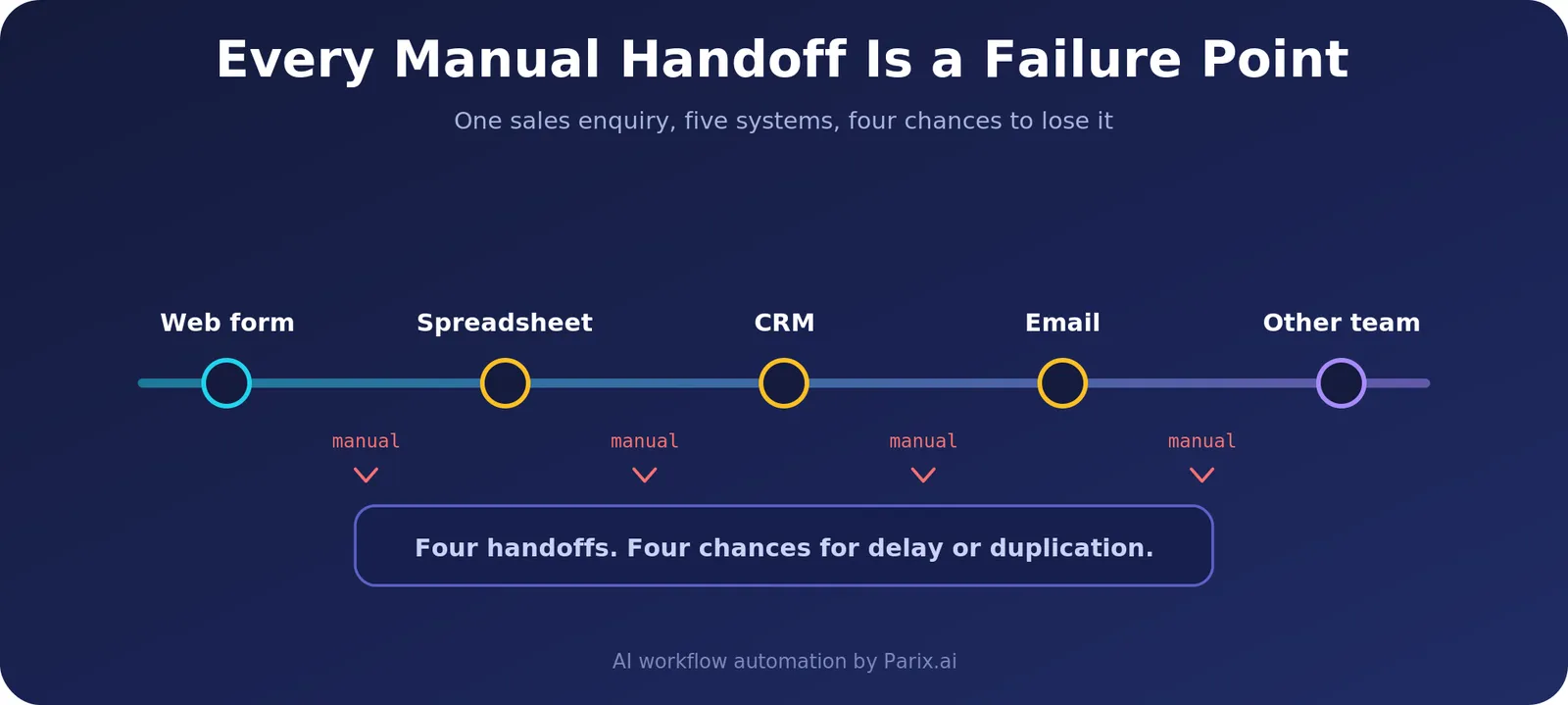
A sales enquiry might begin in a website form, move into a spreadsheet, get copied into a CRM, trigger an email, and eventually require someone to notify another team. Every manual handoff creates another opportunity for delay, duplication, or missing information.
AI workflow automation can connect these individual steps into a larger process. With the right AI integrations, information can move between CRMs, databases, communication platforms, finance tools, support systems, and internal applications automatically.
The goal is not simply to connect more software. A useful workflow should make information move to the right place, trigger the right action, and involve a person only when human judgment or approval is actually needed.
How AI Improves Traditional Workflow Automation
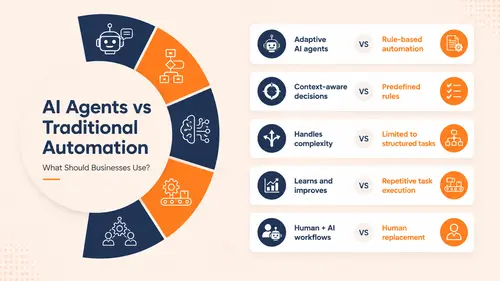
Traditional automation works well when the rules are predictable. If a form is submitted, create a CRM record. If an invoice is approved, send it to accounting. If a customer places an order, update inventory.
AI becomes useful when a workflow needs to understand the information before deciding what should happen next.

For example, an AI-enabled document workflow can:
- Read incoming documents and extract important information
- Classify documents based on their content
- Route routine cases through predefined workflows
- Flag unusual or incomplete information for human review
- Update connected business systems automatically
The same approach can be applied to customer support, lead qualification, onboarding, invoicing, reporting, internal requests, and many other operational processes.
This combination of artificial intelligence and process automation is closely related to what IBM describes as intelligent automation.
Zapier vs Make vs n8n: Which One, and Where Each Breaks
Most comparisons list features. That is not the decision. The decision is the pricing model, because it decides whether your automation stays affordable as volume grows.
The three platforms bill for completely different things.
| Zapier | Make | n8n | |
|---|---|---|---|
| Billed per | Task — each action step | Operation — each module run | Execution — the whole run, once |
| A 10-step workflow costs | 10 tasks per run | ~10 operations per run | 1 execution per run |
| Self-hosting | No | No | Yes, free |
| App catalogue | Largest | Large | 400+ plus a generic HTTP node |
| Learning curve | Easiest | Moderate | Steepest |
| Best for | Short workflows, non-technical teams | Visual multi-step logic, mid-market | High volume, custom code, regulated data |
Compared on pricing model rather than headline rates, because rates change and the model does not. Check current pricing before you budget.
The number that decides it
A 10-step workflow running 10,000 times a month generates 100,000 billable tasks on Zapier, 100,000 operations on Make, and 10,000 executions on n8n. Same work, one tenth the billable units.
That is the entire argument. At low volume it is irrelevant — a few hundred runs a month costs little on any of the three. It starts to matter somewhere in the thousands, and by ten thousand runs a month it is the only thing that matters.
Moving from Zapier to Make cuts the bill for identical volume. Moving to n8n changes the maths again, because step count stops being billable at all.
Where each one breaks
Zapier breaks on cost. It is the easiest to start with and has the largest app catalogue by a distance. But every step you add multiplies the bill, so complex workflows get expensive fast.
Make breaks on the complexity ceiling. Better value than Zapier and a genuinely good visual canvas. But you are still on someone else’s infrastructure, and when a workflow needs real code you have hit the wall.
n8n breaks on operations. Execution pricing and free self-hosting mean volume stops being a cost problem. The trade is that you own everything — updates, backups, scaling, security — and there are fewer native integrations, so expect to work with raw APIs.
Straight recommendations
Use Zapier if your team is non-technical, your workflows are short, and your volume is low. Simplicity is worth paying for at that scale.
Use Make if you need branching, filters and data transformation but do not have a developer. It is the right middle ground for most growing businesses.
Use n8n if you are running high volume, need custom code inside a workflow, or your data cannot leave your own infrastructure. For healthcare and finance, self-hosting is often the only acceptable answer.
One thing worth saying plainly: most companies we work with end up running two platforms — typically Zapier for breadth, plus Make or n8n for the heavy lifting. That is a legitimate architecture, not a failure to decide.
On migrating between them
Switching platforms means rebuilding every workflow — there is no export that carries across. Migration makes sense when your annual platform saving exceeds the one-time rebuild cost within 12 to 18 months. Below that, stay where you are and optimise what you already run.
AI capability, briefly
All three shipped agent features in 2026. n8n has LangChain integration and more than 70 AI nodes. Make released Maia, its natural-language builder, alongside Make AI Agents. Zapier released Zapier Agents, which run across its app catalogue.
n8n leads for building AI agent workflows with real control, mostly because you can drop JavaScript or Python into any step. Worth knowing: the LangChain Code node is available on self-hosted n8n only, so that particular capability is tied to running it yourself.
At Parix.ai, our AI workflow automation services are not tied to one platform. We pick based on your existing systems, the complexity of the process, security requirements, and the volume you expect to run.
The 2026 Shift Toward Agentic AI and Autonomous Workflows
One of the biggest changes in automation is the move from rigid rules toward agentic AI.
Traditional automation usually follows predefined instructions. If a particular event happens, the system performs a predetermined action. This works well for predictable processes, but becomes more limited when a task requires interpretation, planning, or several connected decisions.
Agentic AI adds another layer. An AI agent can evaluate information, choose between available actions, and work through multiple steps while operating within defined rules and controls.
Instead of simply generating a response, an AI agent might review an incoming request, determine what type of request it is, retrieve relevant information, update another system, prepare a response, and escalate the case to a person when necessary.
Gartner predicts that 40% of enterprise applications will include task-specific AI agents by 2026, up from fewer than 5% in 2025. That is an eightfold shift in a single year, which is why agentic behaviour is worth understanding now rather than after it arrives in the software you already pay for.
AI Workflow Automation Trends Shaping 2026
Several technologies and approaches are pushing business automation forward.
- Agentic AI: AI agents designed to work through multi-step tasks rather than responding to only one prompt.
- Hyperautomation: connecting automation across more of the applications and systems involved in a business process. IBM also explains the difference between intelligent automation and hyperautomation.
- No-code and low-code automation: visual platforms such as Zapier, Make, and other workflow builders that make it easier to automate processes without developing every integration from scratch.
- AI-powered process analysis: using operational data to identify bottlenecks, repeated work, and areas where automation may create the most value.
- Cross-system orchestration: connecting CRM, ERP, finance, support, communication, ecommerce, and internal systems so information can move through a larger business process.
- Human-in-the-loop automation: allowing AI and automation to handle routine steps while routing sensitive, uncertain, or high-impact decisions to a person.
As automated systems take on more responsibility, governance becomes increasingly important. Businesses need clear permissions, security controls, audit trails, testing, monitoring, and human review for workflows involving sensitive information or important decisions.
Why AI Workflow Automation Matters for Growing Businesses
Automation does more than make individual tasks faster. It changes where employees spend their time.
When routine work is handled by reliable systems, teams can spend more time on customer relationships, problem solving, strategy, creativity, and decisions that still require human judgment.
It can also make growth easier to manage. A process that works manually with ten customers may become difficult with hundreds or thousands. Connecting those steps through automation allows a process to handle greater volume without requiring the same increase in repetitive administrative work.
We have applied this principle across different types of projects. Our ecommerce operations automation case study is a concrete example: order checks, inventory updates and internal notifications were automated, and the daily priorities the team had been hunting for across several places were pulled into a single view.
With Seotly, our AI-powered SEO platform, AI is integrated directly into the product to support analysis and workflow execution.
The use cases are different, but the principle is similar: use automation for repeatable work so people can focus on responsibilities where their experience and judgment provide more value.
Common AI Workflow Automation Use Cases
AI workflow automation can be applied wherever a business process contains repeated steps, manual handoffs, information processing, or disconnected systems.
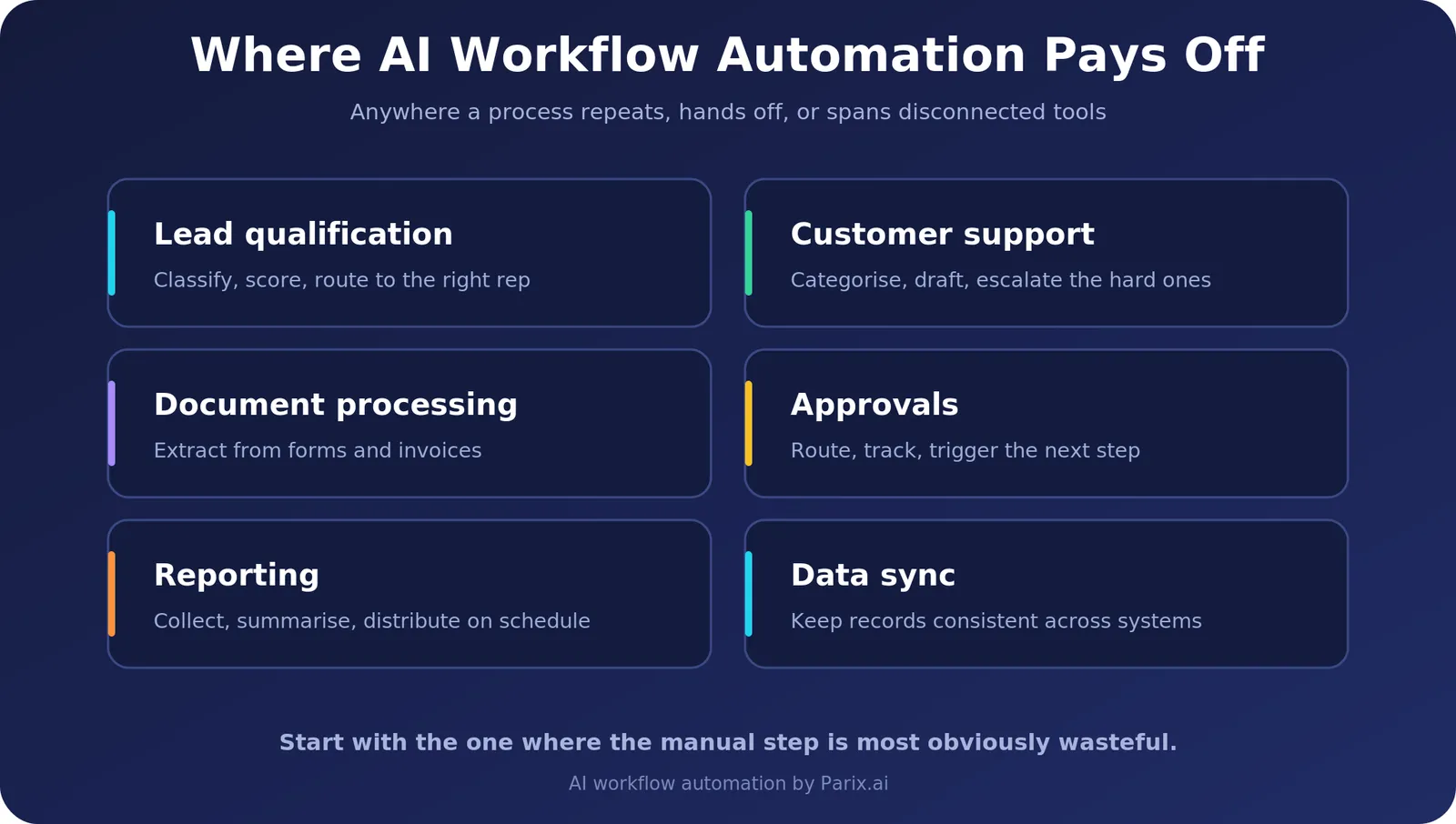
Common examples include:
- Lead qualification: analyze incoming leads, classify them, update a CRM, and route them to the appropriate salesperson.
- Customer support: categorize incoming requests, prepare responses, retrieve relevant information, and escalate complex cases.
- Document processing: extract information from forms, invoices, reports, or other files and send the data to connected systems.
- Approvals: route requests to the correct people, track approval status, and trigger the next step automatically.
- Reporting: collect data from different tools, organize it, summarize results, and distribute reports automatically.
- Data synchronization: keep information consistent across CRMs, spreadsheets, databases, ecommerce platforms, and internal systems.
- Lead follow-up: trigger personalized follow-ups based on lead activity, qualification, or CRM status.
- Customer onboarding: create accounts, send documents, trigger welcome communication, assign internal tasks, and update records.
- Internal operations: automate repetitive notifications, status updates, task creation, and information transfers between teams.
How to Start With AI Workflow Automation
You do not need to automate an entire company at once. In most cases, starting with one clearly defined workflow is easier to implement, test, and measure.
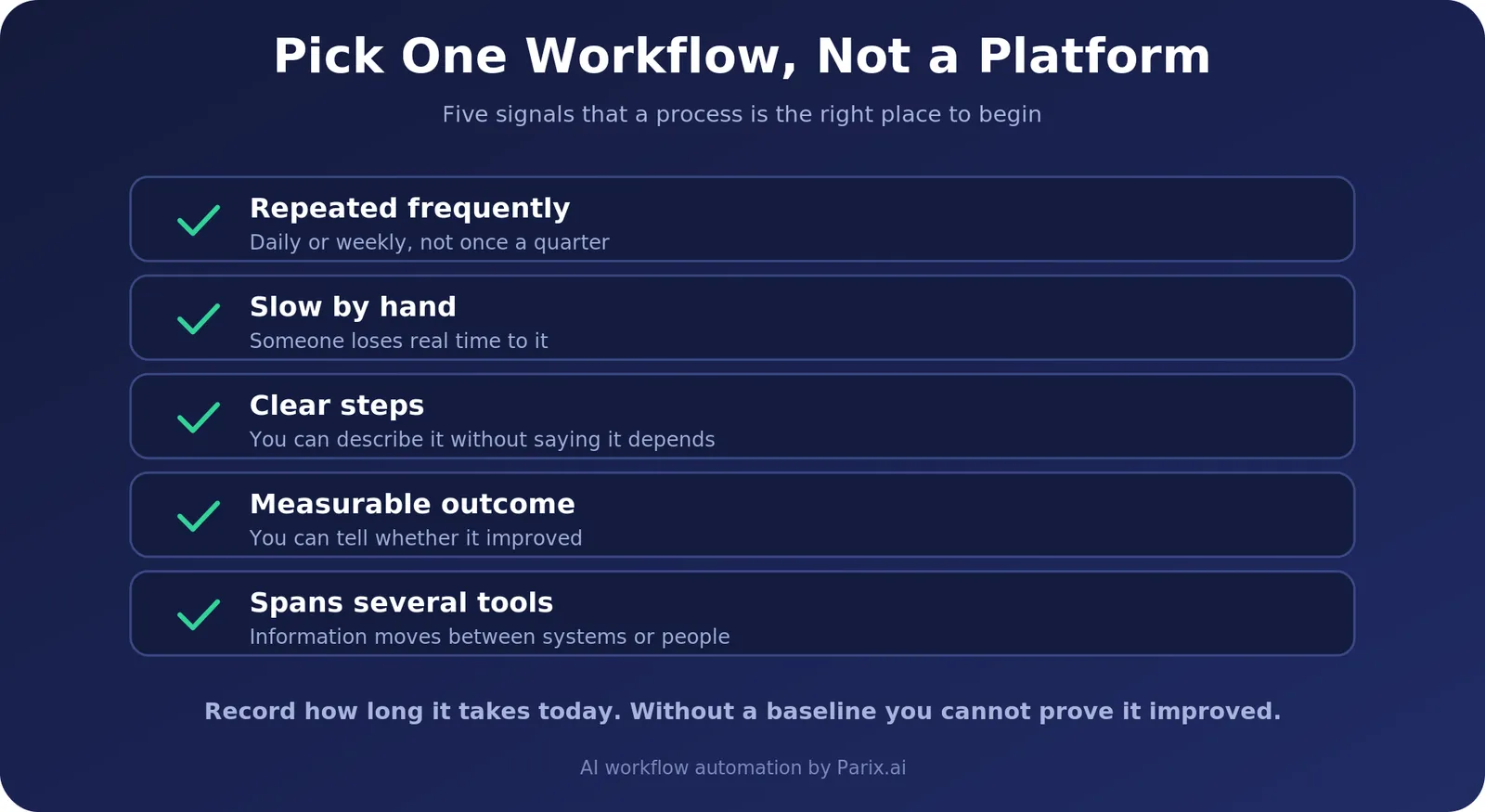
Look for a process that is:
- Repeated frequently
- Time-consuming when handled manually
- Based on reasonably clear steps
- Connected to a measurable business outcome
- Moving information between several tools or people
Good starting points often include document processing, lead follow-up, routine approvals, customer support routing, reporting, onboarding, or data synchronization.
If lead management is one of your biggest bottlenecks, our guide to using AI agents for lead generation and follow-up explores that use case in more detail.
Once you choose a workflow, map how it currently works. Identify the trigger, each manual step, every system involved, where decisions happen, and where human approval is still necessary.
Then automate the parts that provide clear value, test the workflow carefully, monitor the result, and expand only after the first version is reliable.
What to Look for in an AI Automation Solution
The right automation solution should fit the business process rather than forcing the process around a particular tool.
Look for an approach that can:
- Connect with your existing business systems
- Handle the level of workflow complexity you actually need
- Support AI models where interpretation or generation is useful
- Include human approvals where appropriate
- Scale as workflow volume increases
- Provide appropriate security and access controls
- Make workflow performance measurable
- Be maintained and adjusted as the business changes
The best automation is not necessarily the most complicated. A smaller workflow that solves a real operational problem reliably can create more value than a large system built without a clear business objective.
Custom AI Workflow Automation vs Off-the-Shelf Automation
Off-the-shelf automation platforms are useful when a process is straightforward and the applications already have the integrations you need.
Custom AI workflow automation becomes more useful when the process involves multiple systems, complex rules, AI-based interpretation, private business data, custom APIs, unusual approval flows, or logic that cannot be handled cleanly by a standard template.
A custom solution can still use platforms such as Zapier, Make, or n8n. The difference is that the workflow is designed around the business process instead of forcing the process into a predefined automation.
This is also why the technology stack can vary from project to project. One workflow may work well with Make and a CRM integration, while another may require n8n, an AI model, a database, custom APIs, and human approval steps.
How Parix.ai Helps With AI Workflow Automation
At Parix.ai, we design automation around the business process first rather than forcing every project into the same template.
Our AI workflow automation services can include workflow mapping, system integrations, AI agents, APIs, webhooks, business rules, data processing, human approval stages, and custom automation for processes that currently depend on repetitive manual work.
A project might involve lead qualification, document processing, customer support routing, reporting, approvals, data synchronization, follow-ups, onboarding, or a larger workflow that moves information across several business applications.
We can work with established platforms such as Zapier, Make, and n8n when they fit the workflow, while custom integrations and APIs can be added where an off-the-shelf connection is not enough.
For processes requiring deeper connections between AI models and existing software, our AI integrations service focuses on connecting AI capabilities with the systems a business already uses.
If the goal is to build a complete software product rather than automate an existing process, our SaaS product development service covers custom platforms and product development.
Conclusion
AI-powered workflow automation is moving business automation beyond simple triggers and repetitive task execution. Modern workflows can connect systems, understand incoming information, support routine decisions, and move work through several stages with less manual intervention.
Platforms such as Zapier, Make, and n8n make many workflows possible without building every component from scratch, while custom integrations, APIs, AI agents, and business logic can extend automation when the process becomes more complex.
The most practical way to begin is with one process that has a clear business problem behind it. Map the workflow, identify the repetitive steps, automate what makes sense, test the result, and measure whether it actually improves the process.
If your workflow spans several applications, contains repeated manual handoffs, or requires custom AI logic, explore our AI workflow automation services or contact Parix.ai to discuss what you want to automate.
Frequently Asked Questions
What is AI workflow automation?
AI workflow automation combines artificial intelligence with automation tools to complete, route, analyze, or improve steps inside a business process. It can connect triggers, applications, AI models, business rules, APIs, and human review inside one process.
How is AI workflow automation different from traditional automation?
Traditional automation follows predefined rules. AI-powered automation can also interpret information, classify inputs, extract data, generate responses, or support decisions before the process continues.
Which tools are used for AI workflow automation?
Zapier, Make, and n8n are the three most widely used platforms, and they differ mainly in how they bill you — per task, per operation, and per execution respectively. Businesses also connect AI models, CRMs, databases, ecommerce systems, communication platforms, APIs, and custom applications on top of them.
What is the difference between Zapier, Make, and n8n?
They bill for different things, and that is the difference that matters. Zapier charges per task — every action step counts separately. Make charges per operation, each module run. n8n charges per execution, so a ten-step workflow and a two-step workflow cost the same per run. At 10,000 runs a month, a ten-step process is 100,000 billable units on Zapier and 10,000 on n8n. n8n is also the only one of the three you can self-host, which matters when data cannot leave your infrastructure. Zapier has the largest app catalogue and the gentlest learning curve; Make sits between the two on both price and power.
Is n8n good for AI workflow automation?
Yes, and it is the strongest of the three for AI agents specifically. n8n has LangChain integration and more than 70 AI nodes, and because you can insert JavaScript or Python into any step you get control the visual-only platforms do not offer. The cost is a steeper learning curve, and if you self-host, full responsibility for updates, backups and security. Note that the LangChain Code node works on self-hosted n8n only.
What is agentic AI?
Agentic AI refers to systems that plan and work through multiple steps toward a defined objective rather than completing one isolated task. Gartner expects 40% of enterprise applications to include task-specific AI agents by 2026, up from under 5% in 2025. Business implementations still need limits, monitoring, and human oversight.
Is AI workflow automation expensive?
There are two costs, and teams usually estimate one well and the other badly. The build is paid once. The run is paid monthly — platform fees plus AI model usage. Platform cost is driven by the pricing model more than the plan you pick: a ten-step process at 10,000 runs a month is ten times more billable on Zapier than on n8n. Price one real workflow at your actual volume rather than estimating a platform budget. Our guide to AI automation cost breaks the numbers down in full.
How can AI workflow automation help a growing business?
It reduces repetitive manual work, improves consistency, connects disconnected tools, and lets teams handle larger volume without repeating every step by hand. For where the savings come from and how to size them, see how AI workflow automation reduces business costs.
Can small businesses use AI workflow automation?
Yes. Start with one repetitive process and expand from there. A clearly defined starting point makes both implementation and measurement easier.
What business processes can be automated with AI?
Common examples include lead qualification, customer support routing, document processing, approvals, reporting, follow-up, data synchronization, onboarding, ecommerce operations, and internal business processes.
When should a business use an AI workflow automation service?
When a repetitive process spans several applications, includes manual handoffs, requires custom logic, or needs AI interpretation that a standard off-the-shelf automation cannot handle cleanly.
Does Parix.ai only use one automation platform?
No. The technology should fit the process. Depending on the project, an automation may use Zapier, Make, or n8n together with APIs, AI models, databases, webhooks, or custom software.
Learn more about our AI workflow automation services.
Not sure where your bottlenecks are? Map the process first with our free Workflow Mapper before deciding what to automate.