“A Previous Response Is Still Running in This Conversation” in Claude — What It Means and How to Fix It
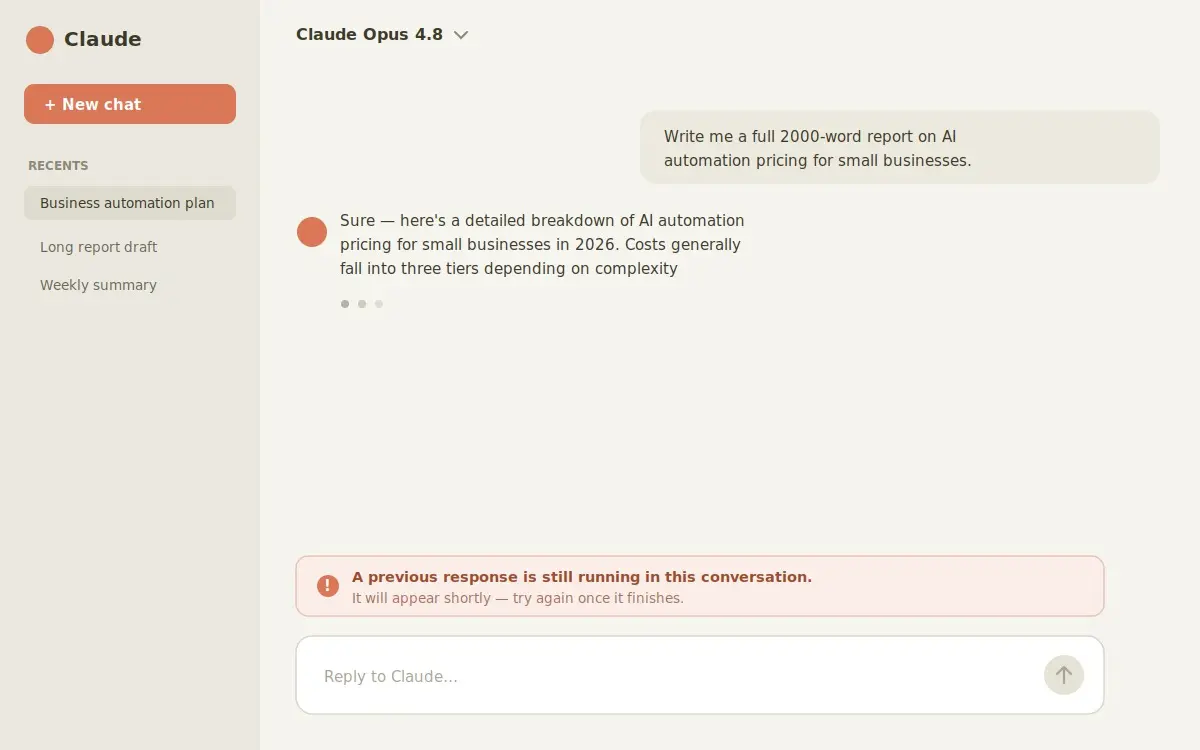
The first time I saw this message, I’ll be honest — I panicked a little. I’d asked Claude for a long report, got impatient, sent a second message… and suddenly it wouldn’t take anything new. Just a calm little line at the bottom: “A previous response is still running in this conversation. It will appear shortly — try again once it finishes.”
Turns out it’s nothing to worry about. If you’re seeing it right now, here’s the short version before we get into the details: Claude is still busy finishing your last reply, so it won’t start a new one yet. Wait a few seconds, refresh, and you’re back. That’s it most of the time.
So what’s actually going on?
Here’s the thing people miss: inside one chat, Claude can only handle one answer at a time. If you fire off a new message while the previous one is still being written, it doesn’t queue it up or panic — it just pauses you and shows that message.
In plain words, it’s saying: “Give me a second, I’m still writing your last answer.” The moment that earlier reply wraps up, the chat unlocks by itself and you can carry on. This is closely related to what happens when Claude stops responding in long chats — same idea, the conversation gets stuck while it’s working.
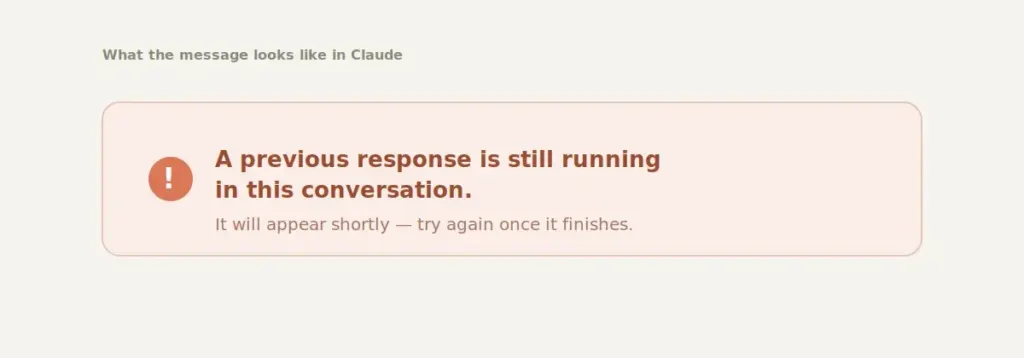
And no — this isn’t a crash, a ban, or a billing problem. Your message didn’t vanish, and your account is perfectly fine. It just looks scarier than it is. When it happened to me, the reply actually showed up the instant I refreshed the page — so don’t assume the worst.
Why it keeps happening
A few things tend to trigger it, and once you know them they’re easy to dodge:
The most common one is simply a long reply still cooking. Big asks — full reports, chunks of code, heavy research — take longer, so the chat stays “busy” for a while. If you’re regularly pushing Claude with huge prompts, it’s worth learning how to manage session limits and token usage too, since they often go hand in hand.
The second sneaky one is closing the tab mid-reply. The response keeps running in the background, so when you come back the chat still thinks it’s working.
After that it’s the usual suspects: a shaky internet connection that drops the “I’m done” signal, a frozen browser tab that stopped refreshing, or just busy servers during peak hours when everything’s a touch slower.
How to get it working again
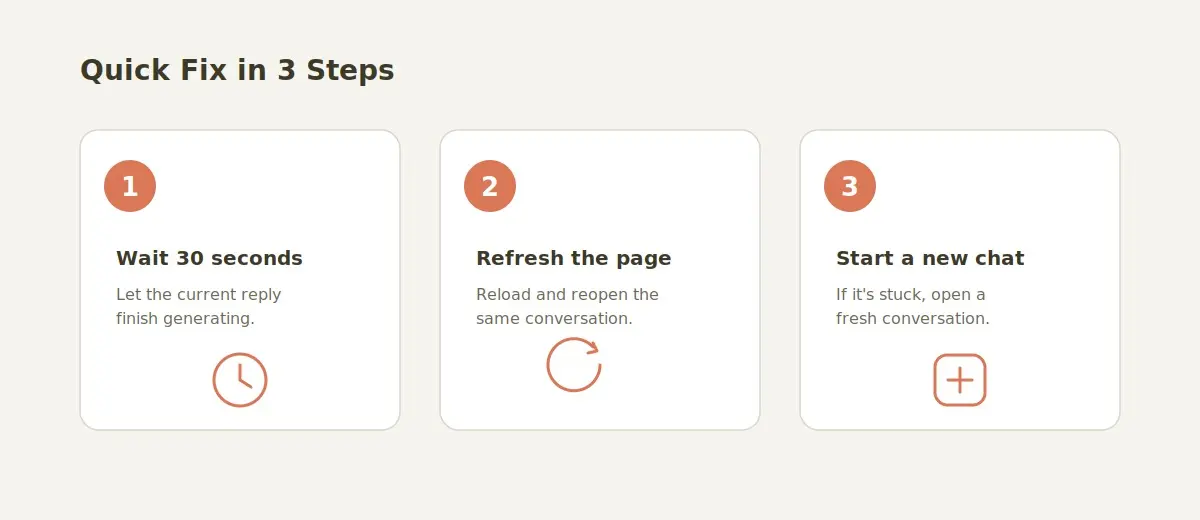
Start gentle and work your way down — you’ll rarely need to go past step two.
Just wait about half a minute.
Honestly, nine times out of ten the reply just needs a moment. Resist the urge to keep hitting send, because that only re-triggers the same message.
Refresh and reopen the same chat.
Reload Claude, click back into the conversation, and the finished answer is usually sitting right there waiting for you. This is the one that fixed it for me every single time.
Open a fresh tab.
If the page feels frozen, a new tab clears it out. Log back in and check.
Look at your connection.
Flip to a steadier network, or off Wi-Fi and back, then reload.
Try another browser (or incognito).
This rules out a stuck, cached session in seconds.
Still stuck? Start a new chat.
It’s the last resort — you’ll lose the in-progress reply — but you can just paste your prompt again and move on.
How to stop it happening again
Once Claude’s running smoothly again, you can get back to the fun stuff — like using it to create faceless videos using Claude AI.
Most of this comes down to one habit: let each answer finish before you send the next. That single change fixes it for most people.
Beyond that — break really long requests into smaller messages so they finish faster (a tighter, well-written prompt helps here), don’t slam the tab shut while Claude’s mid-sentence, and use a stable connection when you’re doing something important.
“Your message was sent, but Claude couldn’t respond — try again.”
Claude received your message. What failed was the reply coming back to you, which makes this close to the opposite of the message above.
That difference matters, because the message is already sitting in the conversation. Send it again and you have asked the same thing twice. Look at the chat first: if your prompt is there with nothing underneath it, do not resend yet.
Work through these in order:
- Reload the conversation. If the answer finished on Claude’s side and only the display failed, it shows up after the reload.
- Nudge it instead of resending. If your message is there but still unanswered, type something short like “please answer the message above”. That costs far less than pasting a long prompt again.
- Move to a new chat. A conversation that has failed once often keeps failing. Paste the prompt into a fresh one.
- Check whether it is only you. If every chat fails, the problem is not your conversation. Anthropic publishes live service status, and it is worth a look before you troubleshoot anything else.
Ad blockers, script blockers, strict privacy settings and some office or campus networks can cut the connection that delivers the reply. If you see this message regularly, run the same prompt once in a private window with extensions switched off. That single test tells you whether the fault is Claude or your browser.
“This response didn’t load.”
Claude wrote a reply. Your browser never displayed it. That is the whole meaning of this message, and it is why a refresh fixes it so often.
Refresh the page and reopen the same conversation before you try anything else. Most of the time the missing answer is already sitting there.
If it is still missing after a reload:
- Open it in a private or incognito window. This rules out a stale cached session in a few seconds.
- Turn off ad and script blockers for claude.ai, then reload the chat.
- Change network. A weak or filtered connection can drop the reply partway through.
- Try a different browser. If the answer loads there, the fault is cache or an extension in the first one.
Long answers fail to load more often than short ones, simply because there is more to stream and more time for something to drop. If one large request keeps failing, ask for it in two or three parts instead.
“Your previous message wasn’t sent. You can try again.”
Claude never received this message, so there is nothing waiting to arrive and nothing to duplicate. It is the one message on this page where resending really is the right move.
Send it again. If it fails a second time, the cause is usually on your side rather than Claude’s:
- Check you are still signed in. An expired session often shows up as a message that simply will not send.
- Reload the page, then send it again.
- Switch off a VPN or proxy and retry.
- Shorten it. Very long prompts and large attachments can fail to upload on a slow connection. If a short version goes through, size was the problem.
Keep the two straight, because the right move is different for each. “Wasn’t sent” means send it again. “Was sent, but Claude couldn’t respond” means reload and wait, or you end up asking twice.
“Claude is responding in the background”
Claude is still writing your answer while the tab sits in the background or you are looking at something else. It is a status note, not an error.
Leave the tab open and let it finish. Come back to the conversation and the reply is normally there.
Where it gets stuck is when the tab was closed or the device went to sleep partway through the answer. If the notice is still showing after a few minutes and nothing new has appeared, reload the chat. That forces the interface to go and check what actually finished.
“Claude finished the response” but nothing appeared
Claude has marked the answer complete and the screen has not caught up. It is the same underlying problem as a response that didn’t load, so the same fix works: reload the conversation.
If the answer still comes back empty after a reload, it did not survive. Ask for it again in the same chat, and if the request was a big one, ask for the first section only. A shorter answer has less that can go wrong.
“Claude couldn’t finish this response. Try again in a moment.”
Claude started the reply and stopped before the end. That is truncation, not a connection failure, and it is worth handling differently.
Do not resend the original prompt. Ask Claude to carry on from where it stopped, and paste the last line or two it managed to produce so it knows the exact seam. Resending the whole thing makes it start over and spends the context window twice.
If it stops in the same place twice, the conversation is carrying too much. Copy what you have into a fresh chat, add a one-paragraph summary of what you are trying to produce, and ask it to finish from there.
Which message are you seeing?
| Message | What it means | First thing to do |
|---|---|---|
| A previous response is still running in this conversation | Your last reply is still being written | Wait, then reload the chat |
| Your message was sent, but Claude couldn’t respond | Claude received it, the reply failed on the way back | Reload first, do not resend straight away |
| Your previous message wasn’t sent | The message never reached Claude | Send it again |
| This response didn’t load | The reply exists, the page never rendered it | Refresh, then try a private window |
| Claude is responding in the background | Still being written while the tab is not in focus | Leave the tab open and come back |
| Claude finished the response | Marked done, the screen did not update | Reload the conversation |
| Claude couldn’t finish this response | The answer stopped partway | Ask it to continue from the last line |
If Claude’s acting up in other ways
And to put Claude to work for your business, explore our free AI tools for business.
These cover the other problems people run into:
- Why Claude AI Stops Responding in Long Chats (and How to Fix It)
- How to Fix Claude Session Limits and Reduce Token Usage
- Claude Cowork Not Working? 9 Common Problems and Fixes
- MCP “Failed to Connect”: Fix Every Error Message
- Free AI Prompt Optimizer & Checker: Fix Weak Prompts
Quick questions people ask
Is “a previous response is still running” an error or a bug?
Neither. It’s just a status note saying Claude’s still finishing your last reply. Nothing’s broken.
Did I lose the message I tried to send?
Nope. Once the earlier reply finishes you can send it. And if you start a new chat, just paste it again.
How long does “a previous response is still running” take to clear?
Usually seconds — under a minute. Longer answers (big reports, code) take a bit more.
It has been several minutes and Claude is still stuck. Now what?
Refresh, then try a new tab. If it still won’t budge, open a fresh conversation and resend.
Is “your message was sent, but Claude couldn’t respond” the same thing?
No, and the fix is different. That one means Claude got your message and the reply failed on the way back, so your prompt is already in the chat. Reload before you resend, or you will have asked twice.
So when should I actually resend?
Only when Claude tells you your previous message wasn’t sent. For every other message on this page, reload the conversation first.
Why do I keep seeing different messages for what looks like the same problem?
Because they are different failures. One is Claude still writing, one is a reply that never arrived, one is a message that never sent. The table above separates them.