MCP “Failed to Connect”: The Complete Error Guide 2026
Key takeaways
- “Failed to connect” is not one error. It is at least five different failures wearing the same label.
- Start by identifying your exact error string. The fix depends entirely on which one you have.
-32000 Connection closednever means “slow”. It means the process your client launched is already dead.- The single most useful move: copy the command from your config and run it yourself in a terminal. The real error prints immediately.
- Local (stdio) servers do not reconnect on their own. Remote (HTTP) servers retry, so read the status code instead.
You added an MCP server, restarted your client, and got two words back: failed to connect.
Unhelpful, and misleading, because it is not one error. It is a label your client puts on at least five completely unrelated failures — a dead process, a missing command, a corrupted message stream, an expired token, and a config file that was never read at all.
Each has a different fix. Guessing wastes an afternoon. So don’t guess — start with the table below, find your exact error string, and jump straight to the section that matches.
Start here: find your exact error message
Open your client’s log or error panel and find the real message underneath “failed to connect”. Then match it here.
| What you see | What it actually means | Go to |
|---|---|---|
MCP error -32000: Connection closed |
The server process started and then died | Section 2 |
spawn ENOENT / command not found |
Your client cannot find the command at all | Section 3 |
Server transport closed unexpectedly |
It started, then something broke the message stream | Section 4 |
401 or 403 |
Authentication expired or credentials are wrong | Section 5 |
404 or 405 |
Server is alive, your URL is wrong | Section 5 |
-32022, -32021, -32602 |
Protocol version or capability mismatch | Section 6 |
| No error — server simply is not listed | Your config was never loaded | Section 7 |
If your log shows nothing at all, jump to where to find the logs first.
1. The 30-second triage
Before any specific fix, answer one question: is your server local or remote?
Local (stdio) means the server runs as a subprocess on your own machine. Your config has a command and args. Critically, stdio servers do not reconnect on their own. If the process dies mid-session, it stays dead until you restart the client.
Remote (HTTP) means the server is a network service somewhere else. Your config has a url. These retry automatically, so a persistent failure is almost always an HTTP status code you can read.
That split determines everything. Local failures are process failures. Remote failures are network and auth failures. They share nothing except the error message.
The one command that ends the guessing
For any local server, this single move solves more problems than every other tip combined:
Copy the command and args from your config, and run them yourself in a plain terminal.
# Your config says this:
#   "command": "npx",
#   "args": ["-y", "@modelcontextprotocol/server-filesystem", "/Users/you/notes"]

# So run exactly this:
npx -y @modelcontextprotocol/server-filesystem /Users/you/notes
Your client swallows the server’s startup errors. Your terminal does not. Missing package, wrong Node version, bad path, missing API key — the real reason prints in plain English, right there.
If it runs and waits silently, that is success. A working stdio server sits idle waiting for input. Press Ctrl+C and move on to the config. If it exits with an error, you have found your problem.
2. “Connection closed” and MCP error -32000
This is the most common failure and the most misread.
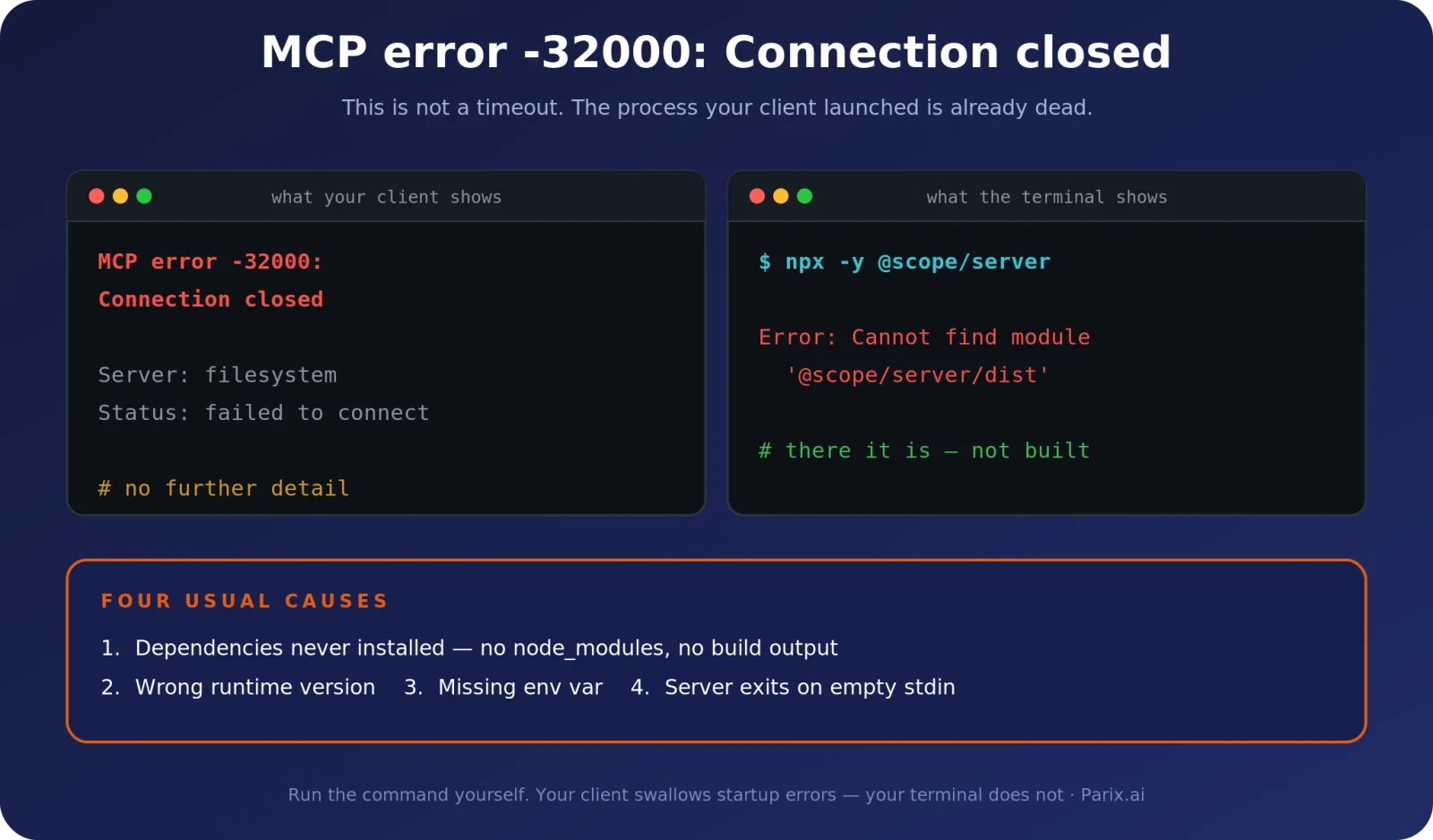
-32000 is not a timeout. It does not mean the server is slow, busy, or still starting. It means the child process your client launched no longer exists. Your client opened a pipe, the process on the other end vanished, and the pipe closed.
The usual causes, in the order you should check them:
- Dependencies were never installed. No
node_modules, no virtualenv, no built output. Runnpm installandnpm run build, oruv sync, in the server directory. - Wrong runtime version. The server needs Node 20, your system has Node 18. Check with
node --version. This one produces a confusing crash rather than a clear message. - A missing environment variable kills it at startup. Many servers exit immediately if an API key is absent. See section 7 — env vars are not inherited the way you expect.
- The server exits on empty stdin. Some implementations assume an interactive terminal and quit when they do not get one.
Verify the fix: run the command manually as shown above. If it stays running instead of exiting, restart your client and the connection should hold.
3. “spawn ENOENT” and command not found
This one is almost always the same root cause, and it surprises people every time: desktop applications do not inherit your terminal’s PATH.
Your shell knows where npx, uvx, node and python live because your .zshrc or .bashrc put them there. A GUI app launched from the dock or Start menu never reads those files. So a command that works perfectly when you type it fails with ENOENT when your client tries it.
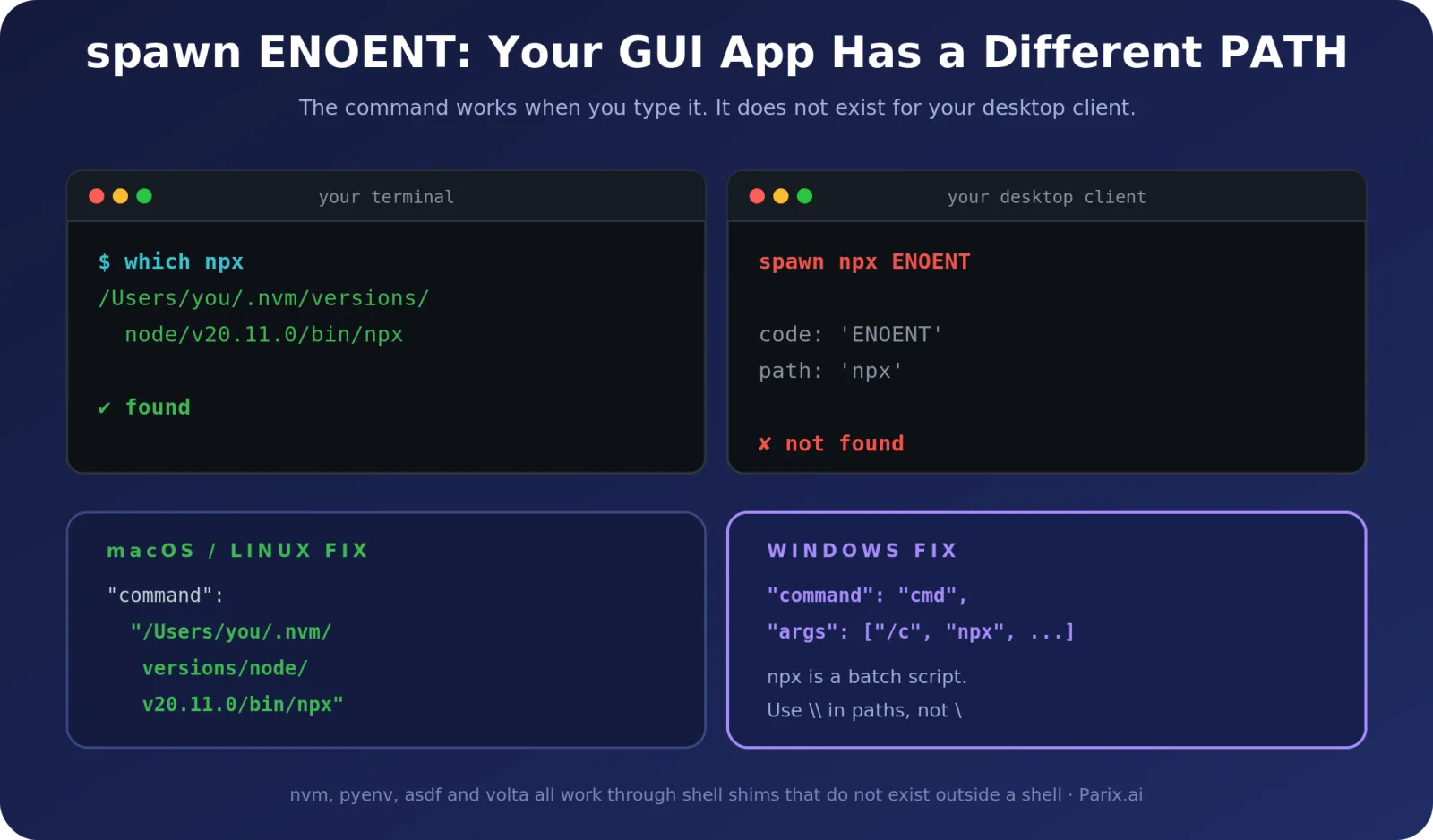
Version managers make this worse. nvm, pyenv, asdf and volta all work through shell shims that simply do not exist outside a shell session.
The fix: use absolute paths
Find the real location, then hard-code it.
# macOS / Linux
which npx        # /Users/you/.nvm/versions/node/v20.11.0/bin/npx

# Windows PowerShell
(Get-Command npx).Source
Put that full path in your config as the command.
Windows: the npx problem
On Windows, npx is a batch script, not an executable. Process spawning cannot run it directly, which produces ENOENT even when the path is perfect. Wrap it:
{
  "mcpServers": {
    "filesystem": {
      "command": "cmd",
      "args": ["/c", "npx", "-y", "@modelcontextprotocol/server-filesystem", "C:\\Users\\you\\notes"]
    }
  }
}
Note the double backslashes. JSON treats a single backslash as an escape character, so C:\Users silently becomes garbage. Use \\ or forward slashes.
4. “Server transport closed unexpectedly”
This is the subtle one, and the fix is genuinely surprising the first time you meet it.
Your server starts. It responds to the handshake. Then the connection dies for no visible reason. The log says the process exited early, but you can see it running fine in your terminal.
The cause is usually stdout poisoning.
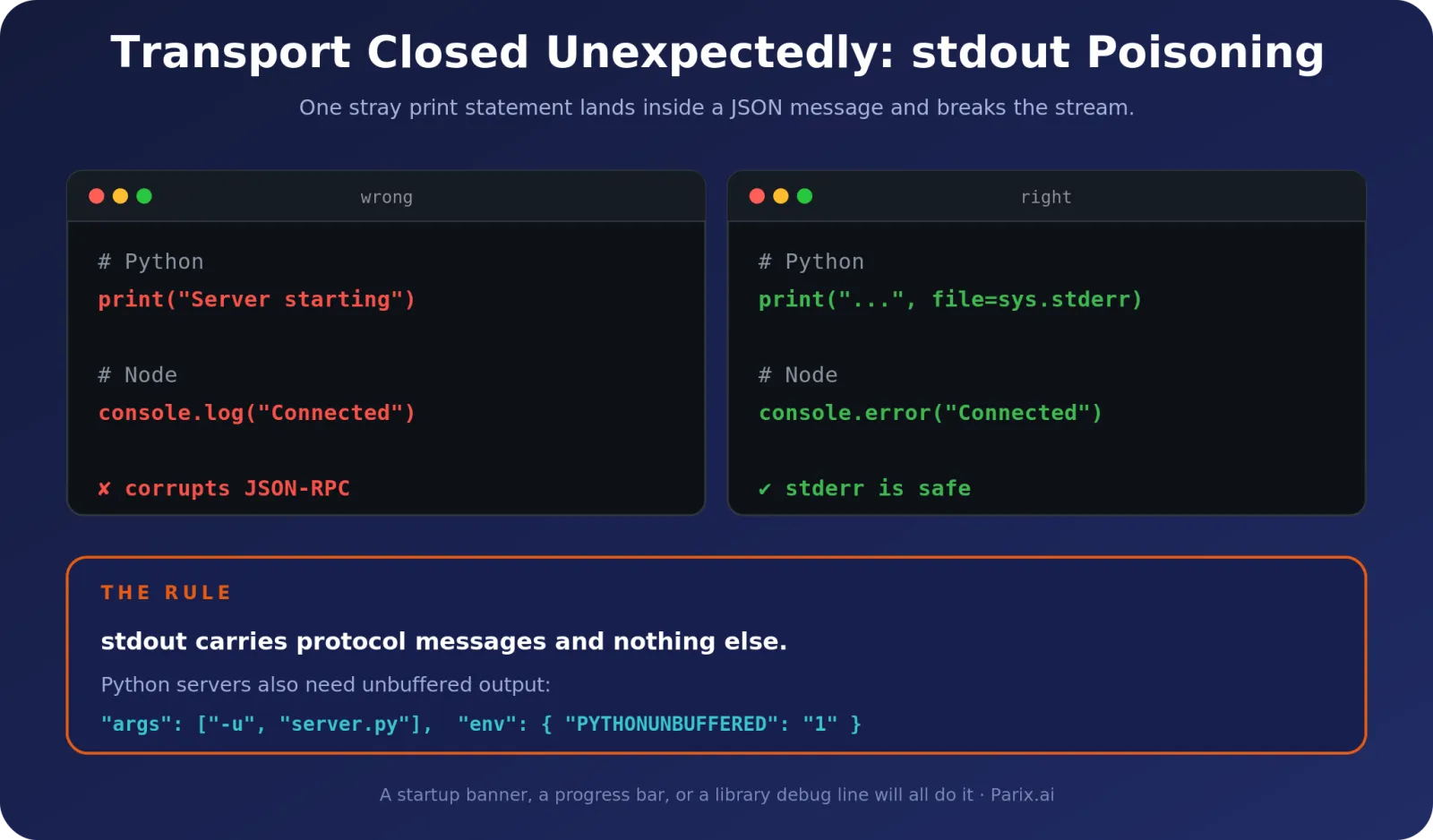
A stdio MCP server communicates over standard output using JSON-RPC. That channel carries protocol messages and nothing else. The moment your code writes anything else there — a print(), a console.log(), a startup banner, a progress bar, a stray debug line from a library — it lands in the middle of a JSON message and corrupts the stream. The client cannot parse it, and drops the connection.
The rule: every non-protocol message goes to stderr. Nothing else may touch stdout.
# Python - wrong
print("Server starting...")

# Python - right
import sys
print("Server starting...", file=sys.stderr)
// Node - wrong
console.log("Connected to database");
// Node - right
console.error("Connected to database");Python servers also need unbuffered output, or messages sit in a buffer while the client gives up waiting:
{
  "command": "python",
  "args": ["-u", "/absolute/path/to/server.py"],
  "env": { "PYTHONUNBUFFERED": "1" }
}
Verify the fix: run the server manually and pipe stdout somewhere. Anything that is not valid JSON-RPC is your culprit.
5. Remote servers: 401, 403, 404, 405 and 5xx
Remote servers fail differently, and the status code tells you almost everything.
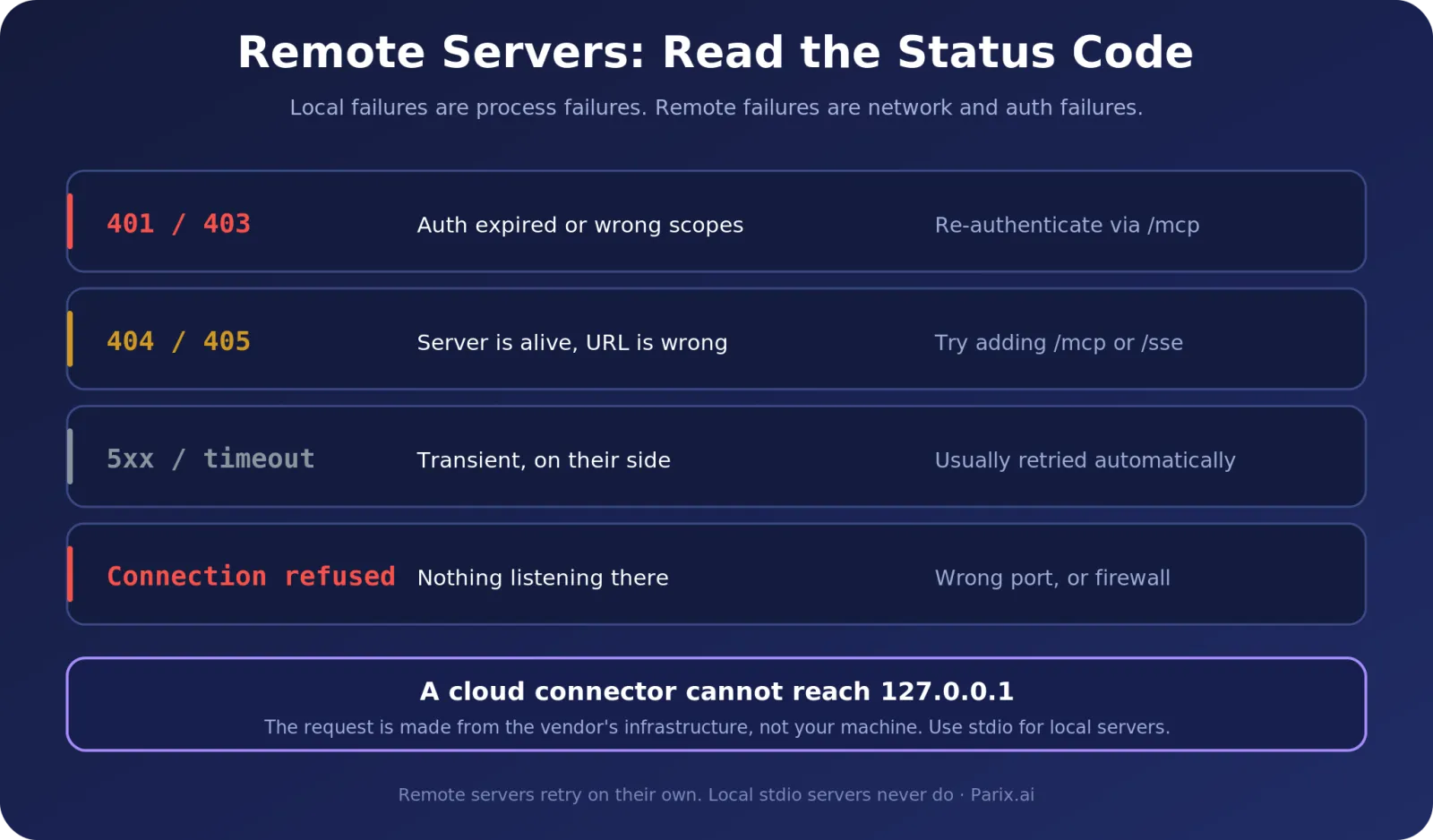
| Status | Meaning | What to do |
|---|---|---|
| 401 / 403 | Auth expired, or token lacks the right scopes | Re-authenticate. In Claude Code, run /mcp and reconnect. |
| 404 / 405 | Server is alive, your endpoint URL is wrong | Check the path. Many servers expect /mcp or /sse on the end. |
| 5xx / timeout | Transient server-side problem | Usually retried automatically. If it persists, the issue is theirs. |
| Connection refused | Nothing is listening at that address | Wrong port, service down, or firewall. |
The localhost trap
This one catches almost everyone once.
A cloud-hosted connector cannot reach your laptop. When you add a remote connector through a web interface, the request is made from the vendor’s infrastructure, not from your machine. So http://localhost:3000 or 127.0.0.1 points at their server, where nothing is running.
No amount of config tweaking fixes this, because nothing is broken. Local servers are a different mechanism entirely — run it over stdio, or expose it on a real public address with proper authentication.
And before you expose anything: an MCP server with write access will execute whatever the model asks it to. Our MCP server security checklist covers scoping, permissions and audit logging before you make something reachable.
6. Protocol version and capability mismatches
These are newer, rarer, and almost never covered elsewhere — which is exactly why they cost people so much time.
The MCP specification reserves error codes -32020 to -32099 for itself. As of protocol revision 2026-07-28 exactly three are defined, and all three mean the two sides disagreed about something before any real work began. Over HTTP, all three return 400 Bad Request.
| Code | Name | What it means |
|---|---|---|
-32020 |
HeaderMismatch | HTTP only. A required header is missing, malformed, or disagrees with the request body. |
-32021 |
MissingRequiredClientCapability | The server needs a capability your client did not declare. data.requiredCapabilities names them. |
-32022 |
UnsupportedProtocolVersion | Client and server support different revisions. data.supported lists what the server accepts. |
Why HeaderMismatch happens
The Streamable HTTP transport mirrors parts of the JSON-RPC body into HTTP headers, so that load balancers and gateways can route a request without parsing it. MCP-Protocol-Version, Mcp-Method and Mcp-Name are required, and a tool may add its own Mcp-Param-* headers.
If any of them disagrees with the body, the server must reject the whole request:
{
  "jsonrpc": "2.0",
  "id": 1,
  "error": {
    "code": -32020,
    "message": "Header mismatch: Mcp-Name header value 'foo' does not match body value 'bar'"
  }
}
The most common trigger is a stale tool schema. If the mismatch names an Mcp-Param-* header, call tools/list to refresh the definition, then retry the original request.
The -32602 special case
-32602 (Invalid params) is the generic JSON-RPC code for a malformed request, but MCP gives it two specific jobs.
First, every request must carry io.modelcontextprotocol/protocolVersion and io.modelcontextprotocol/clientCapabilities in its _meta. A request missing either is rejected with -32602 and, over HTTP, 400 Bad Request.
Second, since revision 2026-07-28 it also covers a resource URI the server cannot resolve — the case earlier versions reported as -32002. So the same code can mean “your handshake metadata is wrong” or “that resource does not exist”. The message text is what separates them.
One more worth knowing: an unimplemented method returns -32601 with 404 Not Found. That is why a 404 in section 5 does not automatically mean your URL is wrong — read the response body before you go hunting for a typo in the endpoint.
Checking what a server supports
Servers must implement server/discover. A client may call it before anything else to learn the supported protocol versions up front, but is not required to — it can simply send a request and handle -32022 if its preferred version is refused. MCP Inspector surfaces the same information in its UI.
Note too that -32000 through -32019 are now classified as legacy. New implementations should not emit them, and apart from -32002 you cannot assume any particular meaning — which is exactly why the -32000 in section 2 tells you so little on its own.
The practical fix is almost always the boring one: update your client, update the server package, try again. Both sides move quickly, and a months-old install drifts out of range.
7. Config mistakes that produce no error at all
Sometimes there is no error because your config was never read. The server just is not there.
Invalid JSON. One trailing comma and the entire file is discarded, usually silently. Paste it into a JSON validator before debugging anything else.
Duplicate server names. Two entries with the same key means the second overwrites the first without warning. Your server is not broken, it has been replaced.
Relative paths. When a client launches a stdio server, the working directory is undefined — often /. So ./data resolves somewhere you did not intend. Always use absolute paths, in the config and in any .env file.
Missing environment variables. This one is genuinely counter-intuitive: stdio servers inherit only a small, platform-dependent subset of your environment. Your shell’s export API_KEY=... does not reach them. Declare what the server needs explicitly:
{
  "mcpServers": {
    "myserver": {
      "command": "/absolute/path/to/server",
      "env": { "MYAPP_API_KEY": "your_key_here" }
    }
  }
}
Not actually restarting. Closing the window is not quitting. On both macOS and Windows, quit the application fully — check the task manager or menu bar — then reopen. Config changes and code changes both need this.
8. Where to find the logs
You cannot fix what you cannot see. The real error is almost always in a log file, not on screen.
Claude Desktop
# macOS
tail -n 50 -F ~/Library/Logs/Claude/mcp*.log

# Windows PowerShell
Get-Content "$env:AppData\Claude\logs\mcp*.log" -Tail 50 -Wait
Claude Code
claude doctor              # surfaces most misconfigurations in one pass
claude mcp list            # what is configured, and its status
claude mcp get <name>      # the full resolved config for one server
/mcp                       # inside a session: live status and re-auth
MCP Inspector is the isolation test. It connects to your server independently of any client:
npx @modelcontextprotocol/inspector node /path/to/your/server.jsThe result splits the problem cleanly in two. Works in Inspector but not your client? The problem is your client config. Fails in Inspector too? The problem is the server itself.
Quick reference
| Symptom | Most likely cause | First thing to try |
|---|---|---|
| Connection closed / -32000 | Process died at startup | Run the command manually |
| spawn ENOENT | GUI app has a different PATH | Use the absolute path to the command |
| ENOENT on Windows with npx | npx is a batch script | Wrap in cmd /c |
| Transport closed unexpectedly | Something wrote to stdout | Move all logging to stderr |
| Python server hangs | Buffered output | Add -u and PYTHONUNBUFFERED=1 |
| 401 / 403 | Auth expired | Re-authenticate via /mcp |
| 404 / 405 | Wrong endpoint path | Add /mcp or /sse to the URL |
| Remote cannot reach localhost | Working exactly as designed | Use stdio for local servers |
| -32022 / -32021 | Version or capability mismatch | Update client and server |
| Server missing entirely | Invalid JSON or duplicate key | Validate the config file |
| Fixed it, still broken | Client was not fully restarted | Quit completely, then reopen |
Still stuck?
If Inspector connects but your client does not, the server is fine and the config is not — compare it line by line against a known-good example.
If Inspector fails too, the problem is in the server. Run it manually, read the first error it prints, and fix that one before looking at anything else. Startup errors cascade, so the first message is the real one.
When you report a bug, include the exact error string, your config with secrets removed, the relevant log excerpt, your OS, and your Node or Python version. Almost every unanswered MCP issue is missing at least three of those.
Once it connects, the useful next questions are about design rather than debugging: how tightly to scope what the server is allowed to reach, and which model to point at it. Both decisions are easier to make now than after something has gone wrong.
Frequently asked questions
What does “MCP failed to connect” actually mean?
It is a generic label covering several unrelated failures: a server process that died, a command your client cannot find, a corrupted message stream, expired authentication, or a config file that was never loaded. Find the specific error string underneath it before attempting any fix.
What is MCP error -32000?
It means the connection closed because the server process no longer exists. It is never a timeout. The usual causes are missing dependencies, the wrong runtime version, or a required environment variable that was absent at startup.
Why does my MCP server work in the terminal but not in my client?
Almost always PATH. Desktop applications do not inherit the environment your shell sets up, so commands installed through nvm, pyenv or Homebrew are invisible to them. Use the absolute path to the command in your config.
How do I fix “Server transport closed unexpectedly”?
Something in your server is writing to stdout, which corrupts the JSON-RPC message stream. Move every log line, print statement and startup banner to stderr. For Python servers, also add the -u flag and set PYTHONUNBUFFERED=1.
Why can’t my remote MCP connector reach localhost?
Because cloud-hosted connectors are fetched from the vendor’s infrastructure, not your machine, so 127.0.0.1 points at their server. This is by design. Run local servers over stdio instead.
Where are MCP logs stored?
Claude Desktop writes to ~/Library/Logs/Claude on macOS and %APPDATA%\Claude\logs on Windows. In Claude Code, use claude doctor, claude mcp list and the /mcp command.
Do MCP servers reconnect automatically?
Remote HTTP servers do retry on their own. Local stdio servers do not — if the process dies mid-session it stays dead until you restart the client.