Every business runs on processes — onboarding customers, sending invoices, routing support tickets, chasing leads. The problem is that most of these still eat up manual hours, and every manual step is a chance for delay or error. That’s exactly the gap AI automation is built to close.
Modern AI business process automation does far more than old rule-based tools. It can read messy data, make judgment calls, draft replies, and adapt as things change. In this guide we’ll walk through what it really means, why it matters in 2026, the 8 best business processes to automate first, and how to start — even if you’re a small business with no technical team. If budget is the real constraint, our roundup of free AI tools for small business is the place to start.
How AI turns manual, repetitive work into measurable results
What Does It Mean to Automate a Business Process?
A business process is any repeatable set of steps your company follows to get something done. To automate a process means using software or AI to handle those steps automatically, with little or no manual effort.
Traditional automation follows fixed rules — “if X, then Y.” That works for simple, predictable tasks, but it breaks the moment something unexpected shows up. AI changes that. With AI agents for business process automation, the system can interpret unstructured data, decide the next best action, and keep working even when inputs aren’t perfectly clean. That flexibility is what makes today’s automation genuinely useful instead of frustratingly rigid.
Why Automating Business Processes Matters in 2026
In a market this competitive, not using automation is a quiet way to fall behind. Manual processes don’t just cost hours — they cause slow response times, inconsistent quality, and mistakes that erode customer trust. Automation removes that drag so your team can focus on the work that actually moves the business forward. See how real businesses have done it in our case studies.
Used well, business process automation delivers on the metrics that matter most:
Lower operating costs — the same work gets done without adding headcount.
Fewer human errors — automated steps run the same way every time.
Faster turnaround — tasks that took days can finish in minutes.
Happier teams — people spend time on judgment, not busywork.
Room to scale — you can grow volume without growing overhead.
Start small, prove value, then expand — the safest way to automate
How to Automate Business Processes With AI (Step by Step)
Before choosing any tool, follow this simple four-step approach. It’s the same method our team uses when we set up AI workflow automation for clients.
1. Map your processes. List the tasks your team repeats daily and weekly, and note how long each takes and where errors creep in. This shows you where the biggest wins are hiding.
2. Pick one high-volume process. Don’t try to automate everything at once. Choose a single painful, repetitive, rule-based task — high volume plus clear rules equals the fastest win.
3. Build with the right tool or AI agent. Match the process to a tool (see the examples below). Many are no-code, so setup takes hours, not weeks.
4. Measure, then expand. Track time saved and error reduction. Once one process runs smoothly, roll the same approach out to the next one.
The 8 Best Business Processes to Automate With AI
Not sure which business processes to automate first? These eight deliver the fastest return, and each is a proven AI automation example you can start with today.
1. Data Entry & Document Processing
AI reads invoices, forms, and PDFs, extracts the data, and enters it into your systems — ending manual typing and copy-paste errors.
2. Customer Support Responses
AI agents answer common questions instantly, draft replies for your team, and route complex tickets to the right person.
3. Lead Capture & Routing
Capture leads from forms and emails, qualify them automatically, and send each one to the right salesperson so nothing slips through.
4. Invoicing & Approvals
Generate and send invoices on schedule and run approval workflows automatically — cutting days off your billing cycle.
5. Reporting & Dashboards
Pull data from every tool and generate reports on autopilot, so no one rebuilds the same spreadsheet each week.
6. Email & Marketing Follow-ups
Trigger personalized follow-up sequences based on customer actions — nurturing leads without manual sends.
7. Data Syncing Across Tools
Keep your CRM, spreadsheets, and apps in sync automatically with AI integrations, so everyone works from the same up-to-date information.
8. Scheduling & Onboarding
Automate meeting scheduling, welcome emails, and onboarding checklists so new customers and hires get a smooth start.
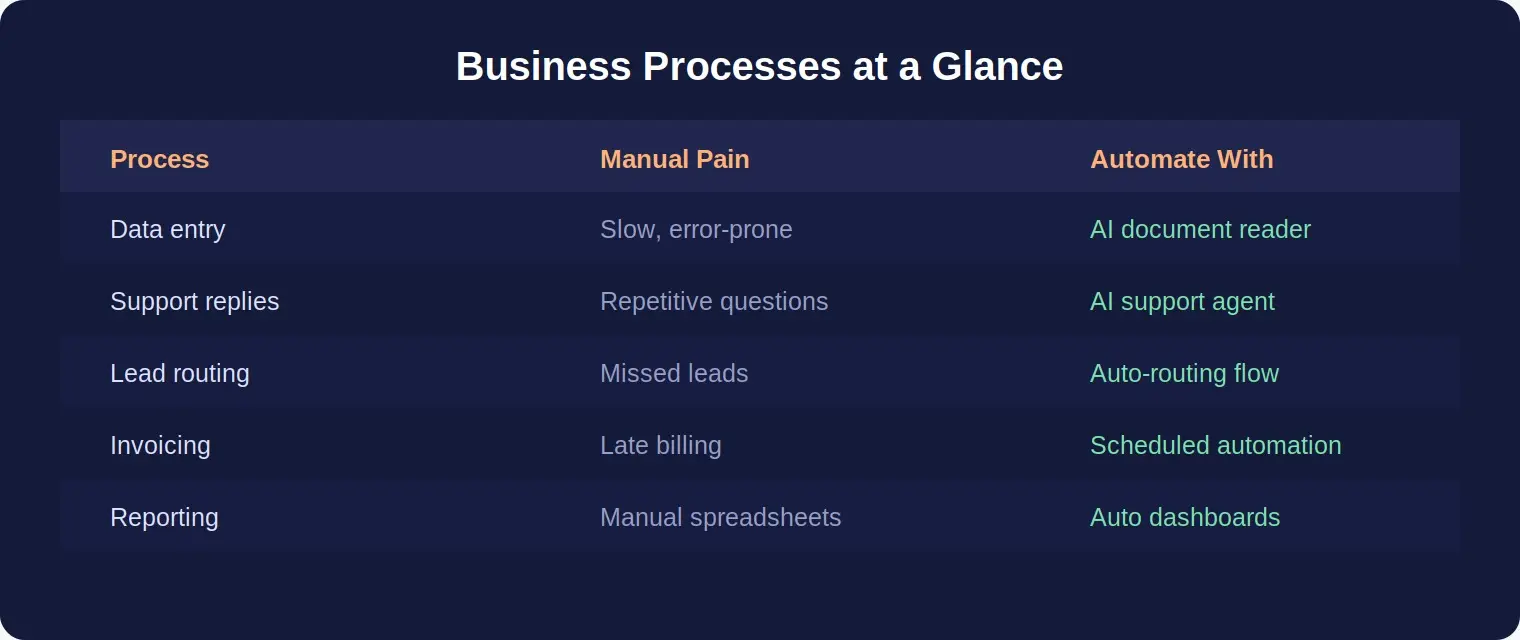
The quickest-win processes and the AI tools that handle them
AI Automation for Small Business: Where to Start
Think automation is only for big companies? The opposite is true. AI automation for small business is now affordable and no-code friendly, and small teams often see the biggest impact — because every hour saved is an hour your limited staff can spend growing the business.
If you run a small business, start with just one process from the list above; data entry or customer support responses are ideal first picks. Prove the time savings, then reinvest that time into the next automation. You don’t need AI agents everywhere on day one — you need one process working reliably. And when you’re ready for a fully custom platform, our SaaS product development team can bring everything together in one place.
One trigger, handled end-to-end by AI — no manual steps
How to Choose What to Automate First
The right first process depends on your business, not on whichever tool looks newest. Weigh how often a task runs, how long it takes, how many errors it causes, and how easy it is to automate. A process that’s high-volume, rule-based, and painful is almost always the best place to begin.
It also helps to try before you commit. Explore our free AI tools to estimate savings and see what’s possible — so you automate the processes that pay off fastest instead of guessing. Our roundup of 44 free AI tools explains what each one does and when to reach for it.
Ready to Automate Your First Process?
Parix.ai designs AI workflow automation that scales — fewer errors, faster turnaround, no extra headcount. Book a free call and we’ll map exactly what you can automate.
Automating your business processes with AI isn’t about replacing your team — it’s about removing the busywork that slows them down. Map your processes, pick one high-volume task, automate it, measure the win, and build from there. Start small this week, and by next quarter automation could be quietly running the parts of your business that used to drain your time.
FAQs
What is business process automation?
Business process automation uses software or AI to handle repeatable tasks automatically — such as data entry, invoicing, and support responses — reducing manual effort and errors.
How do you automate business processes with AI?
Map your repetitive tasks, pick one high-volume process, apply an AI tool or agent, measure the time saved, then expand to the next process.
What business processes should I automate first?
Start with high-volume, rule-based processes like data entry, invoicing, customer support responses, lead routing, and reporting for the fastest return.
Can small businesses use AI automation?
Yes. AI automation for small business is affordable and no-code friendly, and small teams often see the biggest impact because it frees limited staff for higher-value work.
How much does it cost to automate business processes?
Costs vary by scope and tools. You can estimate what’s possible with our free AI tools before you commit.
Not sure which process to tackle first? Our free AI Business Automation Idea Generator suggests the highest-impact ones for your business specifically.

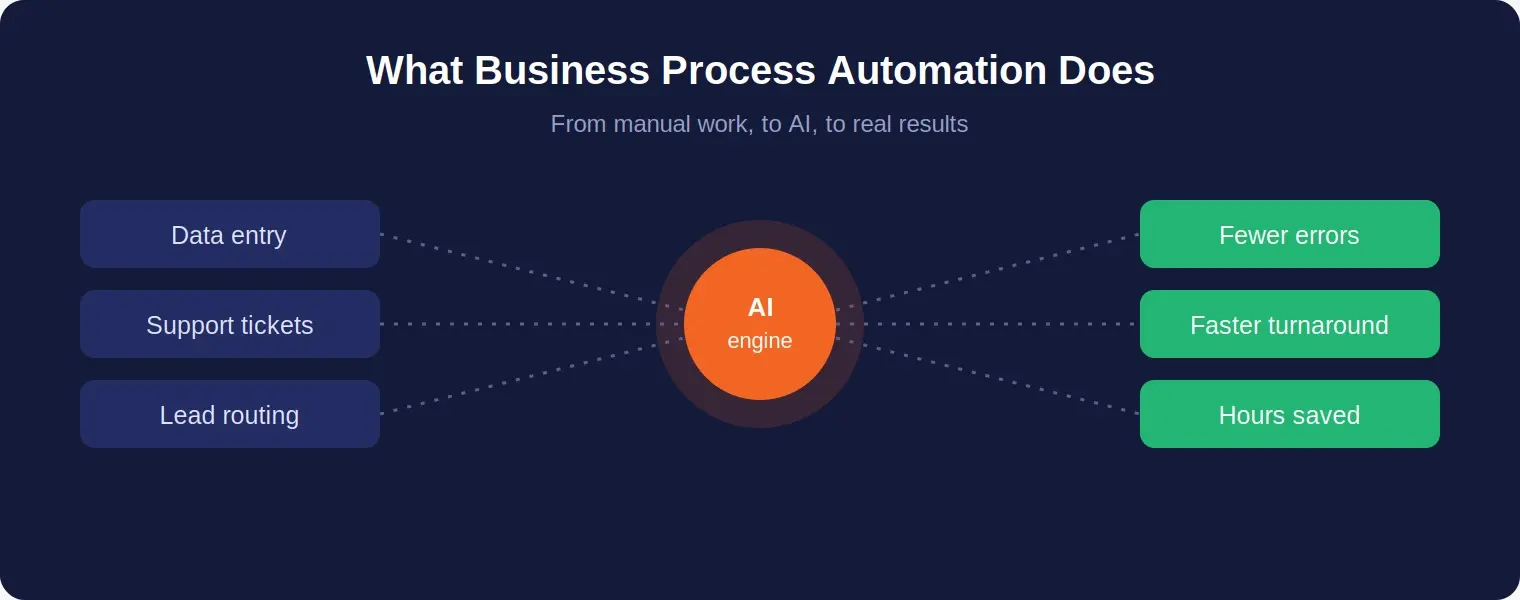 How AI turns manual, repetitive work into measurable results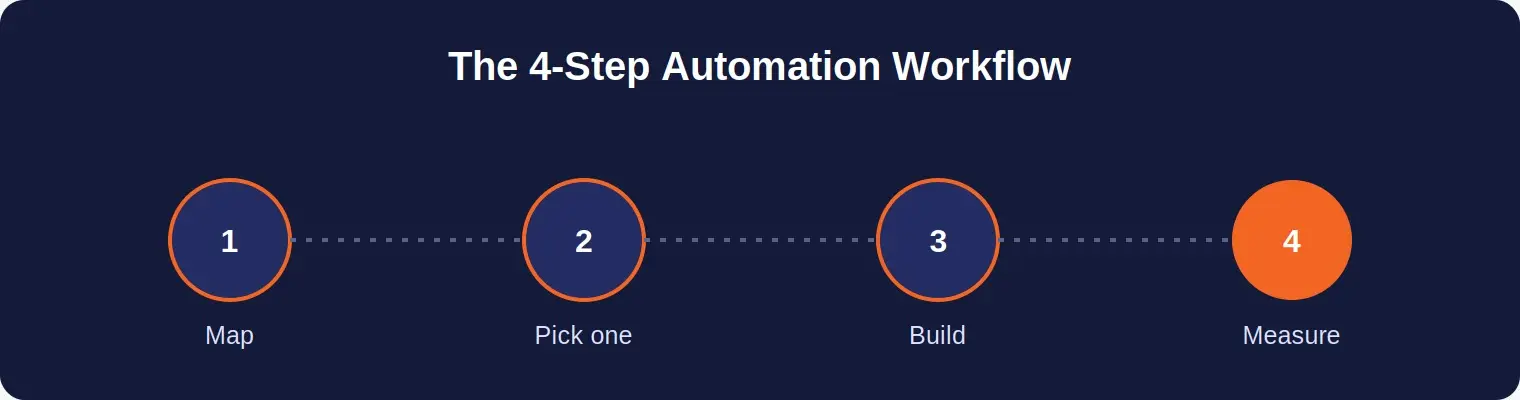
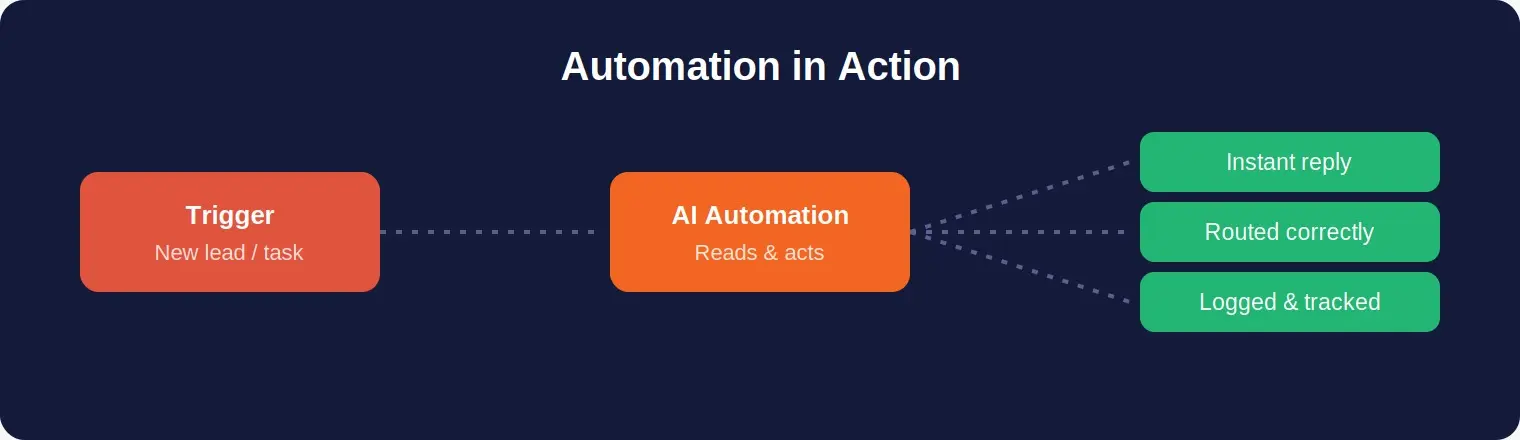 One trigger, handled end-to-end by AI — no manual steps