AI Meeting Notes Are Useless If They Don’t Turn Into Tasks
AI meeting notes feel productive. The assistant joins the call, captures everything, writes a tidy summary, even pulls out action items, and for a moment it looks like the meeting really landed. Then a few days pass, and most teams discover the uncomfortable truth: those notes got saved and quietly forgotten.
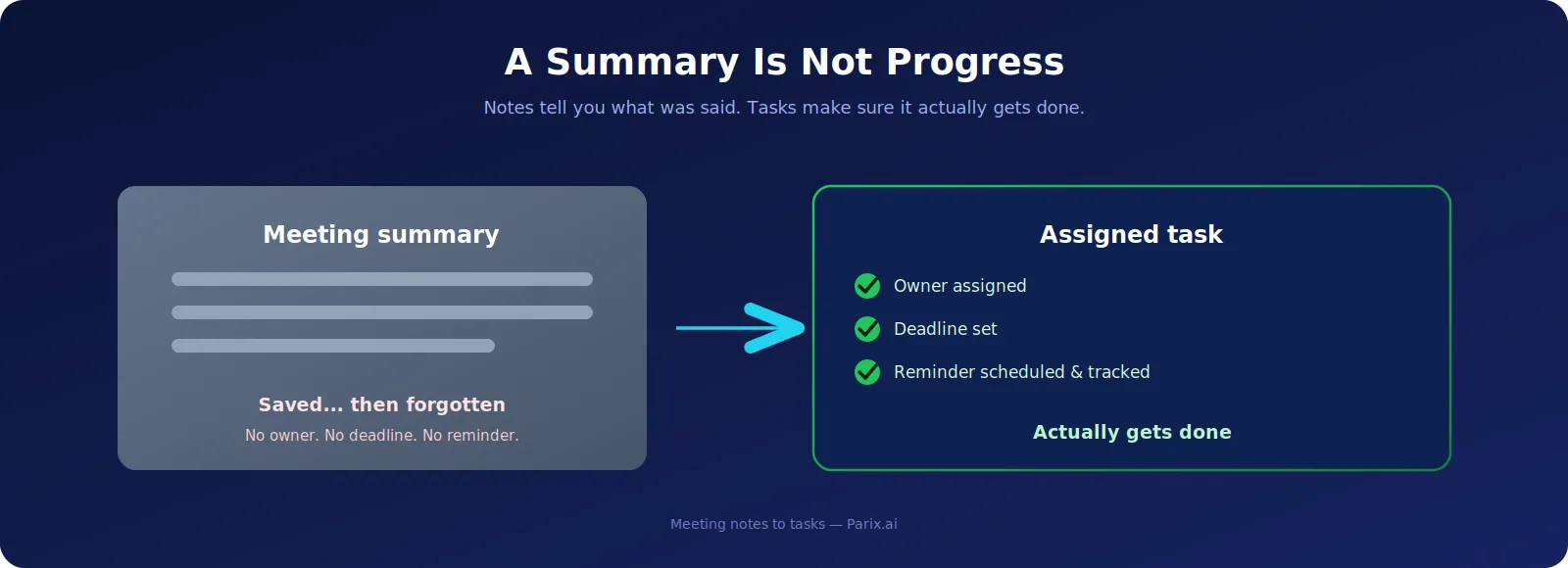
Here’s the core problem. A summary is not progress. A transcript is not action. A list of discussion points is not work getting done. If the AI writes a beautiful recap but no task gets assigned, no deadline gets set, and no reminder goes out, the whole point of the meeting slips away, and someone still has to open another app, create the task by hand, assign it, set a due date, and chase everyone afterward. Most teams just don’t do that every single time.
That’s why AI meeting notes only matter when they turn into real, assigned tasks. It doesn’t matter how many notes pile up. What matters is decisions made, actions followed through, and accountability that turns into actual business outcomes.
The Real Problem: Notes Without Tasks
The issue isn’t taking notes, it’s where they end up. Sales summaries sit in your AI notes app. Product decisions live in a Google Doc. Client requests are buried in a transcript. Blockers get mentioned in Slack. The follow-up is written down somewhere, but it never becomes a real task in Asana, ClickUp, Jira, or your CRM.
The result is a gap between talking and doing. Everyone leaves the call knowing roughly what’s next, but nothing is actually assigned. A week later someone asks “did we send the proposal?” or “who was updating the dashboard?” The answers are right there in the notes, the tasks just never got created. The cost is lost time, and the frustration of a team that feels busy while things crawl forward.
What AI Notes Get Right, and Where They Stop
To be fair, AI note-takers solve a genuine problem. Taking accurate notes while actively talking in a meeting is hard, and capturing the discussion cleanly is real, useful work. These tools transcribe the conversation, flag key moments, record decisions, and hand people who missed the call a clear summary.
But that’s where they stop. Notes describe work; tasks drive it. If the output is a static summary, your team still has to translate it into action by hand, and that’s exactly the step where productivity leaks away. The note-taker did its job. The follow-through is still missing.
The Real Cost of Dropped Follow-Ups
Missed follow-ups look small, but they quietly hit revenue, customer trust, and team morale. A sales lead that never gets chased is a lost deal. A CRM that never gets updated erodes trust. A bug ticket that never gets filed delays the whole project. One forgotten internal task can block three other people.
And the numbers behind this are sobering. Asana’s research finds that knowledge workers spend roughly 60% of their day on “work about work”, chasing updates, hunting for information, and sitting in unnecessary meetings rather than doing skilled work. When meetings don’t produce clear actions, teams respond by scheduling more meetings to clarify, another status call, another check-in, and the cycle feeds itself.
The fix isn’t more meetings or more notes. It’s shrinking the manual gap between a decision being made and a task being created, so the work moves on its own through a proper automated workflow instead of depending on someone remembering.
What “Meeting Notes to Tasks” Actually Means
Turning notes into tasks just means building one smooth process that takes a meeting and produces work, not just a record of it. The flow captures the discussion, identifies the decisions and action items, assigns an owner, sets a deadline, schedules reminders, drops each task into the right tool, and tracks it to completion.
The destination depends on the team. A sales meeting might create CRM tasks, a lead status update, and a draft follow-up email. A software meeting might spin up Jira tickets with the right detail. An agency might push client requests into ClickUp. This is the line between documentation and real workflow automation, the output should be action, not just another summary to read.
Before and After: A Quick Example
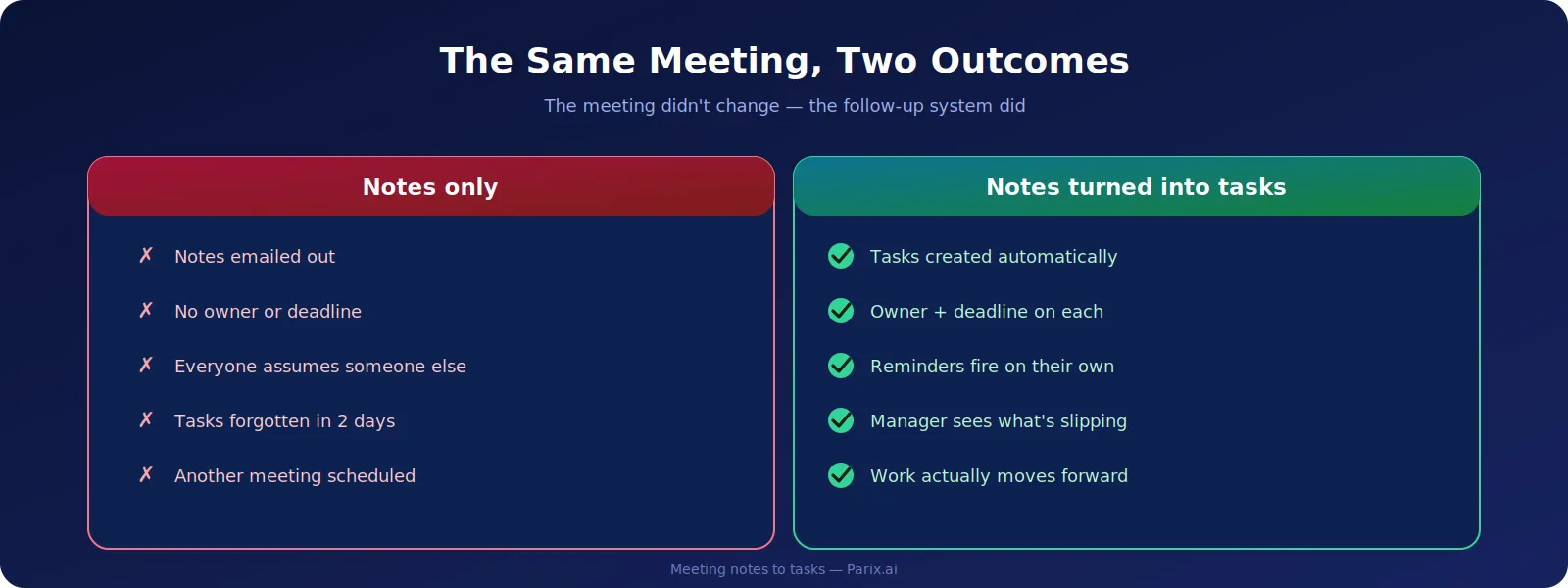
Picture a project meeting. The AI note-taker writes a summary saying Sarah will revise the proposal, Ali will check the website stats, and David will send the client an updated timeline. The notes go out by email, but nobody creates the tasks. Two days later Sarah is buried in other work, Ali forgot the stats entirely, and David assumed someone else had already told the client. Three dropped balls, one meeting.
Now run the same meeting with automation. The assistant pulls out the action items, and this time they become real tasks: Sarah gets “Revise proposal” due Wednesday, Ali gets “Website analysis” due Thursday, David gets “Client update” due Friday. The meeting record is attached to the project, reminders fire automatically, and if a deadline is about to slip, the manager hears about it early. The meeting didn’t change, the follow-up system did.
How AI Turns Notes Into Tasks
This works when the AI is wired into your workflow, not sitting in a separate transcription tool. After the meeting, it reads the summary and transcript and pulls out the action items, looking for task language like “send,” “update,” “review,” “prepare,” “call,” or “approve,” then works out the owner and deadline where they’re stated.
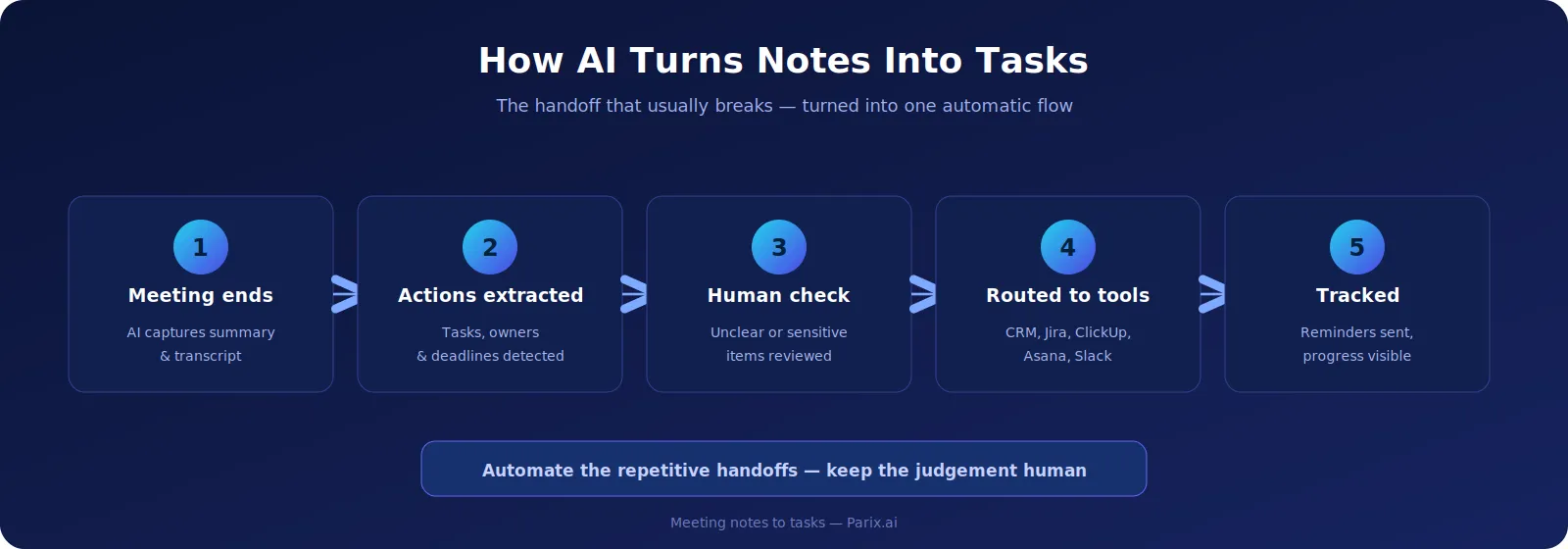
When something’s unclear, like a task with no obvious owner or date, it should flag it for a human rather than guess, because the whole point of automation is to make things clearer, not messier. From there it routes each item to where it belongs: sales tasks to the CRM, engineering tasks to Jira, agency work to ClickUp or Asana, operational items to Slack or a custom dashboard. And it doesn’t stop at creating tasks, it tracks whether they actually get done. This kind of setup leans on solid AI integration across the tools you already use.
What to Automate, and What to Keep Human
Not every sentence in a meeting should become a task, or you’ll drown the team in low-value busywork. The best candidates are the predictable handoffs that always happen: client follow-ups, proposal updates, CRM changes, report requests, approvals, bug reports, content and design tweaks, onboarding steps, next sales actions, and support escalations. If something happens after every single call, it’s a perfect thing to automate.
But keep a human on the judgement calls. AI can misread context, so tasks should be confirmed before they’re pushed to teammates or clients, and anything involving a client promise, a price change, or a legal or technical decision should wait for a person to check. Meeting notes are also one of the ten jobs we cover in our guide to business tasks worth automating with AI, with the same rule throughout: automate the repetitive handoffs, keep the decisions human.
Why This Matters for Remote and Hybrid Teams
Distributed teams live on meetings, messages, and shared tools, and that’s exactly where small things fall through. One person misses the call to a timezone clash. Another watches the recording but doesn’t spot the action item. A third reads the summary but forgets to add it to the board. A fourth assumes the meeting owner will handle the follow-up. Trends tracked in Microsoft’s Work Trend Index show how much modern work now runs this way.
AI notes keep remote teams informed, but task automation keeps them aligned, and those aren’t the same thing. Information tells people what happened; alignment tells them what to do next. With tasks landing automatically in everyone’s list, nobody has to ask “what happened in the meeting?” or “what am I supposed to do now?” It’s already there.
Common Mistakes to Avoid
A lot of businesses buy an AI note-taker, assume their productivity problem is solved, and then hit the same traps. They store summaries without ever turning them into tasks. They send tasks to the wrong place, sales items lost in a transcript, support issues buried in general notes. They skip ownership, so a task is really just a suggestion. They forget deadlines, so everything slides. And they never track completion, so nobody actually knows what got done, a scattered-work problem Atlassian’s research on teams ties directly to lost momentum.
Most of these come down to one thing: treating the summary as the finish line instead of the starting point. It’s the exact pattern we dig into in our piece on why AI automation projects fail, and the fix is the same, a single, tracked destination where every task actually lands rather than spreading across notes, emails, and chats.
How Parix.ai Helps
Parix.ai builds the bridge from meeting summary to real, task-based workflows. Instead of leaving the output stranded in a transcription tool, we connect it to the tools you actually use, your CRM, project management software, Slack, Teams, Google Workspace, Notion, or a custom dashboard, and shape the output around the kind of decision the meeting produced. A sales meeting creates CRM tasks and follow-up emails; a project meeting creates ClickUp or Jira tasks; a client meeting creates approvals and due dates; a support meeting creates tickets routed to the right team.
We’ve built exactly this kind of handoff automation before, taking repetitive admin off a team’s plate in our ecommerce operations automation case study, where work that used to slip through the cracks started moving on its own. If you’d like the same for your meetings, that’s the sort of system we put together.
A Quick Self-Check
Run your current setup through these questions. Do your meeting notes contain clear, assigned tasks? Does every task have an owner and a due date? Do those tasks land in your project tool or CRM automatically? Are reminders scheduled? Can a manager see what’s done, late, or blocked? Are client follow-ups scheduled, and are unclear tasks checked before they go out? If you’re answering “no” to several of these, your notes might be tidy, but your workflow is still entirely manual.
Example Post-Meeting Workflow
| Step | What happens |
|---|---|
| Meeting ends | The AI note-taker writes the summary and transcript. |
| Actions identified | The system detects tasks, owners, and due dates. |
| Human check | Ambiguous or sensitive tasks are reviewed before assignment. |
| Tasks created | Items sync to your CRM, ClickUp, Asana, Jira, Trello, Slack, or dashboard. |
| Reminders set | Owners get nudged before the due date. |
| Progress tracked | Managers see what’s done, delayed, or blocked. |
Conclusion
AI meeting notes are genuinely useful, but on their own they’re not the solution. What actually moves the needle is the process that turns notes into assigned tasks, deadlines, reminders, updates, and results. If you’re already getting AI summaries but still losing follow-ups, repeating the same conversations, and dropping tasks after calls, the meeting software isn’t the problem, the missing follow-up workflow is. Better meetings don’t come from better notes; they come from clear, owned actions. If you want help building that, talk to the Parix.ai team.
FAQs
Are AI meeting notes enough to boost productivity?
No. AI notes capture what was discussed, but productivity only improves when those notes become assigned tasks with owners, deadlines, and reminders. The summary is the starting point, not the result.
Can AI automatically create tasks from meetings?
Yes. With a connected workflow, AI can pull action items out of a transcript or summary and push them straight into your task management tool, complete with owners and due dates, with a human reviewing anything unclear.
Which tools can AI meeting tasks be sent to?
Common destinations include Slack, Microsoft Teams, Google Workspace, Notion, Asana, ClickUp, Trello, Jira, and HubSpot, as well as custom dashboards, depending on how your business works.
What’s the biggest mistake with AI meeting notes?
Treating the summary as the end goal. The summary is meant to trigger action, so without assigned tasks, deadlines, and tracking, follow-ups slip through the cracks no matter how good the notes are.
Should every meeting note become a task automatically?
No. Only the predictable, repetitive handoffs should be automated. Anything involving a client promise, a price change, or a legal or technical decision should be reviewed by a person before it becomes a task.
If your team is still copying action items out of a transcript by hand, our free Meeting Notes Summarizer turns raw notes into a clean, assignable list in seconds.